Venice AI Explained: Features, Privacy and Pricing in 2026
Venice AI is a platform for writing, research, coding, images, video, and audio. It gives users access to several AI models, with privacy settings that vary between them. That choice is useful, but it also needs attention. Before sending personal information or buying a plan, check which model you are using, how it handles your data, and whether the task costs extra credits.
What Is Venice AI and How Does It Work?
Erik Voorhees founded Venice in 2024 with a focus on privacy and user control. The service began around open-source AI and now offers both open-source and closed-source models. You can access it through the website, mobile apps, or a developer API. Venice provides the interface, while your selected model creates the response.
Think of model selection as choosing the right tool for a job. One model may explain code clearly, while another produces better dialogue or understands images. If an answer is weak, changing the model can be more useful than repeatedly changing the prompt. Still, compare results for accuracy rather than choosing whichever sounds most confident.
What Can You Do With Venice AI?
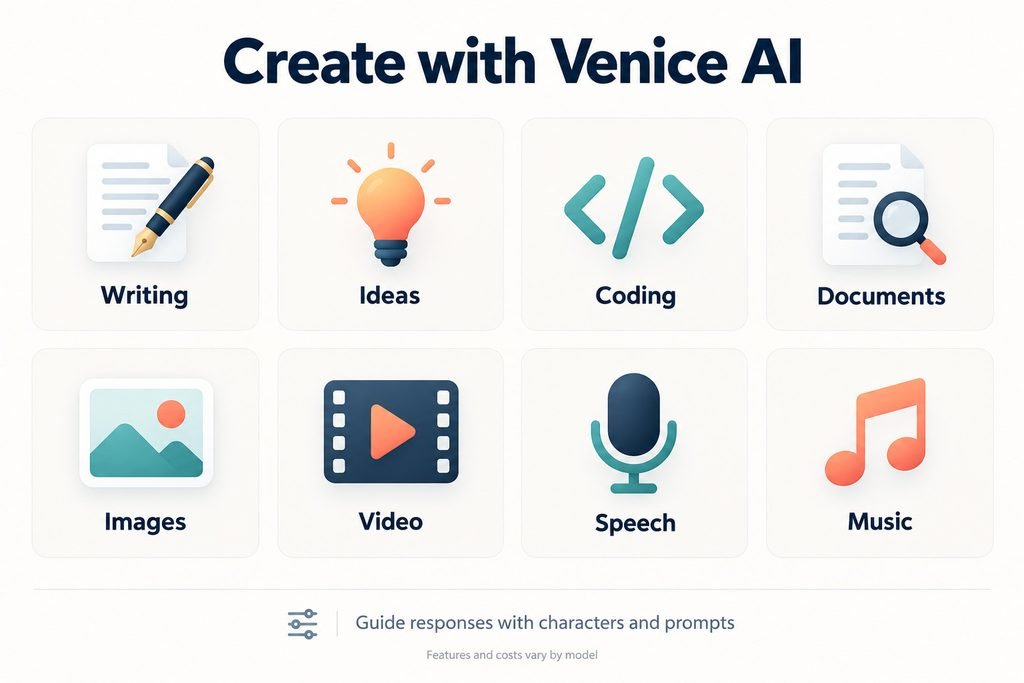
Venice supports writing, brainstorming, coding, and document analysis, alongside image, video, speech, and music tools. Characters and system prompts let you guide how the AI responds. For example, you can ask it to act as a tutor who explains unfamiliar words in simple English. Availability and costs depend on the model and feature.
How Private Is Venice AI?
Venice has four privacy modes. Anonymous, also called Anonymized, hides your identity from the model provider, but that provider sees your content and may keep it. Private mode uses Venice systems or partners with zero-retention agreements. Its protection depends on those companies following their commitments.
TEE processes requests inside a protected hardware area. E2EE encrypts the prompt on your device and keeps it protected through Venice until it reaches a verified secure area. Both require Pro access, and E2EE disables web search and memory. Stronger protection therefore comes with some feature limits.
“Private” does not mean Venice collects no information. Its policy lists account details, IP addresses, device information, and usage events, plus temporary storage of generated videos until download. The policy describes broad zero-retention agreements, while the privacy guide warns about retention in Anonymous mode. Follow the selected model’s warning rather than assuming one promise covers every request.
How Does Venice AI Store Chats and Memories?
Ordinary chat history stays on your device by default, so it may not automatically appear in another browser. Pro users can create password-protected encrypted backups that are uploaded to Venice. The help page lists five backups at most, with a 90-day expiry. Venice says you can’t recover a lost backup password.
This difference is easy to miss: a backup protects saved history, while E2EE protects a request during processing. Venice also offers Memoria to remember preferences and past context. Its launch post describes local storage by default and optional hosted memory, so check your settings. Review saved memories when your preferences change, especially if old details keep appearing in answers.
What Does “Uncensored” Mean on Venice AI?
Venice promotes creative freedom, but individual models still have their own boundaries. “Uncensored” does not guarantee an answer to every request or remove the platform’s terms. Users must be at least 13; those under 18 need parental consent and must keep the mature filter active. Model restrictions can also affect what content is produced.
For writers, fewer restrictions may help with difficult fictional themes. However, willingness to answer is not evidence of accuracy or fairness. A model can confidently repeat a false claim just as easily as it can write convincing dialogue. Check factual statements separately from whether the response matches your preferred tone.
How Much Does Venice AI Cost in 2026?
Venice offers a free plan and three main paid plans. The monthly prices below are in US dollars and reflect the official pricing page when checked. Included app allowances and premium credits are separate. That means a paid plan can offer unlimited included text chat while still charging credits for other tasks.
| Plan | Monthly price | App allowance | Monthly credits |
| Free | $0 | 10 text and 15 image prompts daily | 0 |
| Pro | $18 | Unlimited included text; up to 1,000 images daily | 100 |
| Pro Plus | $68 | Pro features with higher image limits | 7,500 |
| Max | $200 | Plus features with the highest image limits | 22,500 |
Premium models, video, music, and API use consume credits, with 100 credits equal to $1 of spending value. Pro Plus includes two-month credit banking; Max includes three-month banking. Check your preferred tools before subscribing, because the daily image allowance does not cover every premium model. Your normal workflow matters more than the largest number on the pricing page.
How Do You Choose a Venice AI Model?
Start with your task, privacy needs, and budget. Venice’s catalogue lists families including DeepSeek, Qwen, GLM, GPT, and Claude, with different capabilities and privacy labels. Check whether a model supports coding, reasoning, or image understanding. The live catalogue is more reliable than an old tutorial because models change.
A larger context window lets a model handle more information, but it does not guarantee careful reading. Test models with the same short task and compare their accuracy. Use web search for current information when supported, then check the sources. Remember that E2EE disables search, so privacy and live research may require different choices.
How Do You Get Started With Venice AI?
Open the official website or use Venice’s download page for its mobile apps. Select a model, read its privacy badge, and start with a simple request. Explain your goal and the format you want, such as a short answer in plain English. Avoid combining several unrelated tasks in one prompt.
For documents, Venice’s FAQ lists limits of 10 MB and about 250,000 characters. Ask for supporting passages when checking a claim, then compare them with the original file. For images, specify the style and aspect ratio and check the generation cost. Save important work before clearing browser storage.
How Does the Venice AI API Work?
The OpenAI-compatible API connects Venice models to other applications. Developers use a Venice API key, a supported model ID, and the base URL https://api.venice.ai/api/v1. Supported features vary by model and endpoint. Typical uses include coding assistants, document tools, and media workflows.
API calls are metered separately from unlimited app chat. Text costs depend on input and output tokens, while rate limits control request volume. A 429 error means the application should wait before retrying. Check model prices, set spending controls where available, and keep API keys out of public code.
Is Venice AI Right for Your Needs?
Venice may suit people who want several models and more control over privacy. Its flexibility is useful, but choosing the right settings takes attention. Before paying, test a model on your actual work and estimate premium costs. Also decide how you will save conversations, because local history changes the usual expectations about syncing.
This guide uses official documentation rather than hands-on performance testing. A useful trial should show whether Venice improves your results and reduces review time. Check privacy, accuracy, and cost together. A service with many models is valuable only if the ones you use handle your tasks well.
FAQs
Is Venice AI free?
Yes, its free plan includes daily text and image allowances. Premium features can require credits. Check the selected tool before generating.
Does Venice AI store chats?
Ordinary history stays on your device by default. Optional encrypted backups upload protected copies. Temporary video storage and other data have separate rules.
Is Venice AI completely uncensored?
Individual models can still have restrictions. Platform terms also apply. The label does not guarantee every request will be answered.
Does Pro include unlimited API use?
No, unlimited app chat does not cover API processing. Calls consume credits or balance. Review model rates before connecting an application.