Is There Anything Better or Like Malwarebytes for Real-Time Protection?
Many users ask, “Is There Anything Better or Like Malwarebytes” when they want stronger real-time protection, more features, or better value. The answer is yes, but Malwarebytes is still a good choice. Malwarebytes Premium offers simple and reliable protection against malware, ransomware, harmful websites, and unwanted programs. Other tools, including Bitdefender, Norton, Microsoft Defender, and ESET, may suit different users better.
Which Malwarebytes Alternatives Offer Better Real-Time Protection?
Several antivirus tools can match or improve on Malwarebytes in certain areas. Bitdefender, Norton, Microsoft Defender and ESET all monitor files, downloads, apps, websites, and suspicious system activity in real time.
The best choice depends on what you need. Malwarebytes is suitable for users who want simple and focused protection. Other tools may be better when you need a firewall, VPN, parental controls, cloud backup, or advanced security settings.
Bitdefender Is Strong for Overall Protection
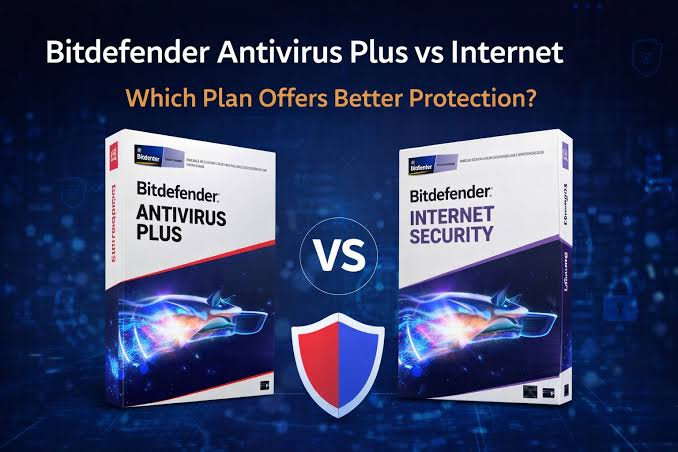
Bitdefender is a strong choice for users who want advanced real-time security. It checks files and programs, blocks harmful websites, watches for ransomware behavior, and uses cloud-based detection to identify new threats.
Its behavior monitoring may stop a dangerous program even when the threat is not yet in a malware database. Bitdefender is useful for people who download files often, shop online, or protect several devices.
Norton Offers More Features in One Package
Norton is suitable for users who want more than basic antivirus protection. Many plans include real-time malware blocking, a firewall, VPN, cloud backup, password tools, and identity features.
It can be useful for families or people with several devices. However, users who do not need these extra tools may find Malwarebytes simpler and easier to manage.
Microsoft Defender Is the Best Free Built-In Option
Microsoft Defender is included with modern Windows systems. It offers real-time malware protection, cloud-based scanning, firewall controls, ransomware settings, and web protection.
For many home users, Defender is enough when Windows, browsers, and apps stay updated. Users can also keep Malwarebytes Free for occasional second-opinion scans.
ESET Is Better for Advanced Control
ESET is a good option for users who want detailed security settings. It provides real-time scanning, anti-phishing tools, ransomware protection, banking security, and device controls.
Compared with Malwarebytes, ESET offers more technical control. Malwarebytes is usually easier for beginners who prefer simple menus and fewer settings.
Avast and AVG Offer Free Real-Time Protection
Avast Free Antivirus and AVG Antivirus Free provide active protection without a paid subscription. They check files, downloads, emails, websites, and running programs.
These tools offer more continuous free protection than Malwarebytes Free, which mainly works as a manual scanner. However, Avast and AVG may show upgrade messages or promote paid features.
Malwarebytes Is Still a Good Choice
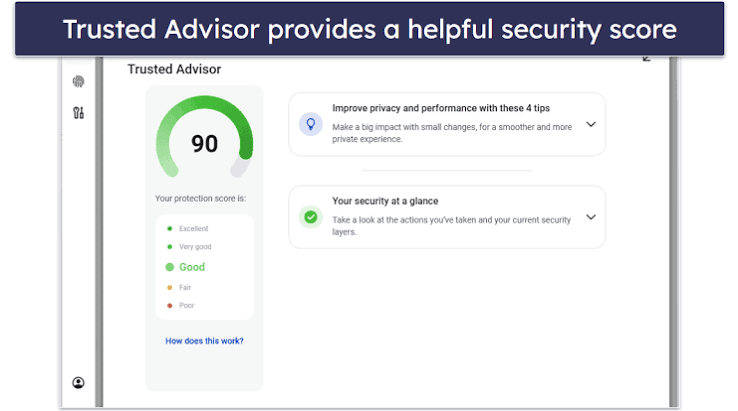
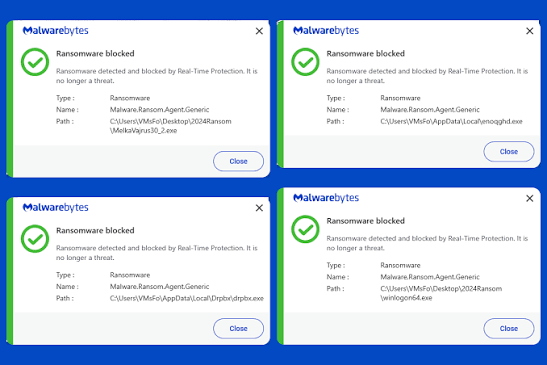
Malwarebytes Premium is a reliable security program for users who value simplicity. It provides real-time malware protection, ransomware defense, malicious website blocking, exploit protection, and automatic scanning.
It is also well known for detecting adware, browser hijackers, spyware, and potentially unwanted programs. This makes it useful when a computer shows pop-ups, unwanted browser changes, or unusual performance problems.
Its easy interface is another strength. Users can scan, review threats, and change protection settings without dealing with complex menus.
Can Malwarebytes Run With Another Antivirus?
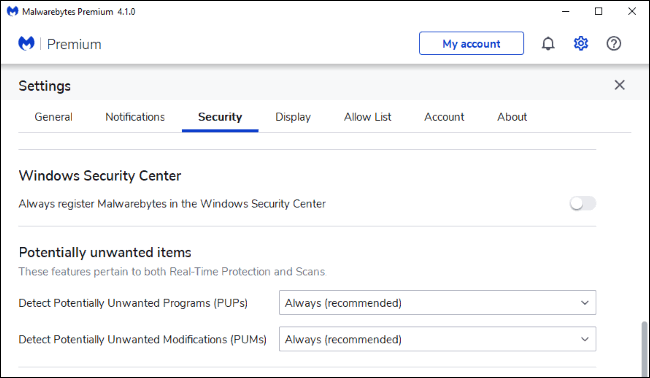
Malwarebytes Free can usually run beside another antivirus because it does not provide the same full real-time protection as the paid version. A common setup is to use Microsoft Defender for daily security and Malwarebytes Free for manual checks.
Running two full real-time antivirus products together may cause slowdowns, repeated warnings, or software conflicts. Users should check compatibility before combining Malwarebytes Premium with another active antivirus.
Which Option Is Best for You
Choose Malwarebytes Premium when you want simple real-time protection, strong malware cleanup, web security, and ransomware defense.
Choose Bitdefender for advanced overall protection. Choose Norton for an all-in-one security package. Choose Microsoft Defender for free Windows protection. Choose ESET for detailed settings and technical control.
For users asking “Is There Anything Better or Like Malwarebytes,” the answer depends on budget, device type, online habits, and the features they will actually use.
How to Improve Security Beyond Antivirus
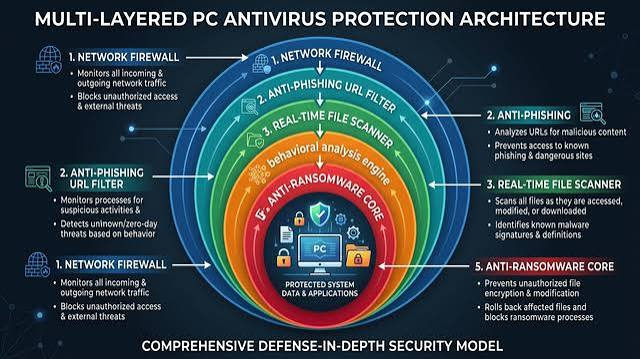
Real-time protection works best with safe online habits. Keep your operating system, browser, and apps updated. Use strong passwords and turn on two-step verification for important accounts.
Avoid cracked software, unknown email attachments, fake update messages, and suspicious websites. Keep backups of important files because no antivirus can promise complete protection.
Final Answer
Yes, several tools may be better than Malwarebytes for certain needs. Bitdefender offers stronger advanced protection, Norton provides more extra features, and Microsoft Defender is a strong free option.
However, Malwarebytes remains a good choice for users who want simple protection, strong malware removal, ransomware defense, and an easy interface. The best option is the one that matches your needs without adding unnecessary tools.
FAQs
Is Malwarebytes good for real-time protection?
Yes. Malwarebytes Premium provides active protection against malware, ransomware, harmful websites, exploits, and unwanted programs.
What is the best alternative to Malwarebytes?
Bitdefender is a strong overall alternative. Norton offers more extra features, while Microsoft Defender provides free Windows protection.
Is Malwarebytes better than Microsoft Defender?
Malwarebytes can be better for malware cleanup. Microsoft Defender is better for free, built-in daily protection.
Can I use Malwarebytes with another antivirus?
Yes, especially Malwarebytes Free. Avoid running two full real-time antivirus products unless they are compatible.
Is Malwarebytes Premium worth buying?
It can be worth buying for users who want easy real-time protection, ransomware defense, and strong malware removal.