Video Summarizer AI: Summarize Videos in Minutes
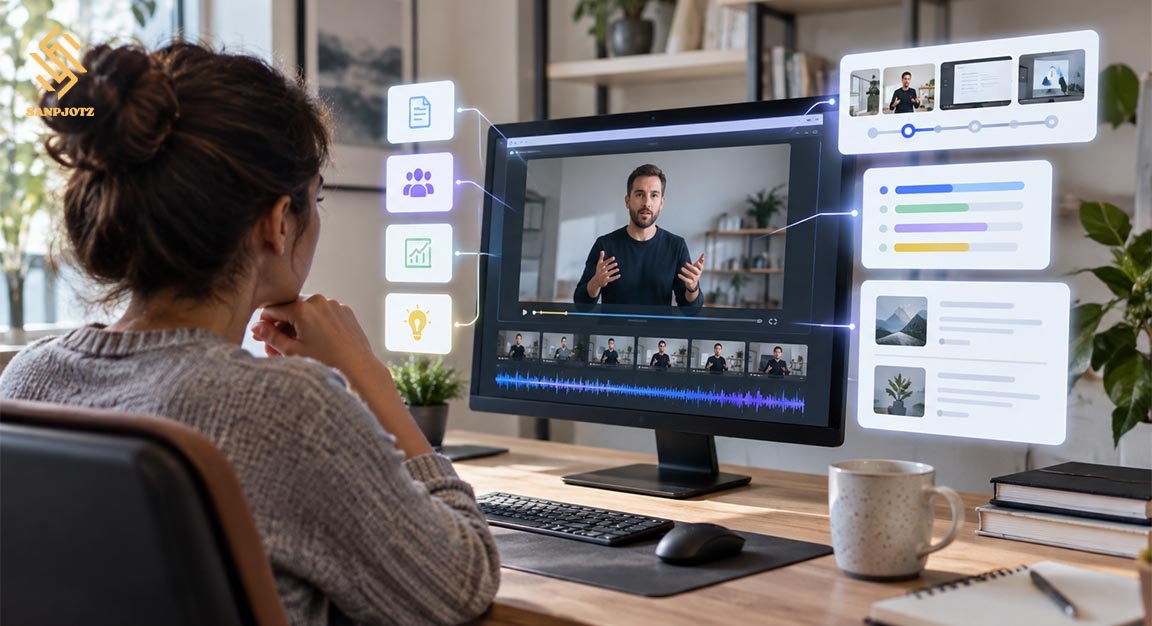
Video Summarizer AI helps people understand long videos without watching every minute. It can turn spoken content into short notes, key points, chapters, and useful summaries. Instead of searching through a full lecture, meeting, interview, or tutorial, users can quickly see the most important ideas and decide which parts deserve more attention.
What Is Video Summarizer AI and What Does It Do?
A Video Summarizer AI is a tool that uses artificial intelligence to study video content and create a shorter version of the main information. In many tools, the process begins with captions or speech-to-text technology. The tool changes spoken words into text, then reviews that text to find important ideas, names, facts, topics, and actions.
Some services can also create chapters, timestamps, bullet points, translations, and questions and answers. A useful summary keeps the meaning while removing repeated or less important parts.
How AI Turns a Long Video Into a Short Summary
The first step is usually transcription. If a video has captions, the system may read them directly. If not, automatic speech recognition can create a transcript from the audio. A language model then studies the transcript, finds the main subjects, and groups similar ideas together. It may remove greetings, filler words, repeated examples, and sections that do not add much value.
The next step is summarization. The user may choose a short overview, detailed notes, key lessons, or a chapter-by-chapter format. Better tools can connect important points with timestamps, so readers can return to the exact part of the video. This is useful when checking a quote, number, explanation, or important instruction.
Main Features to Look For
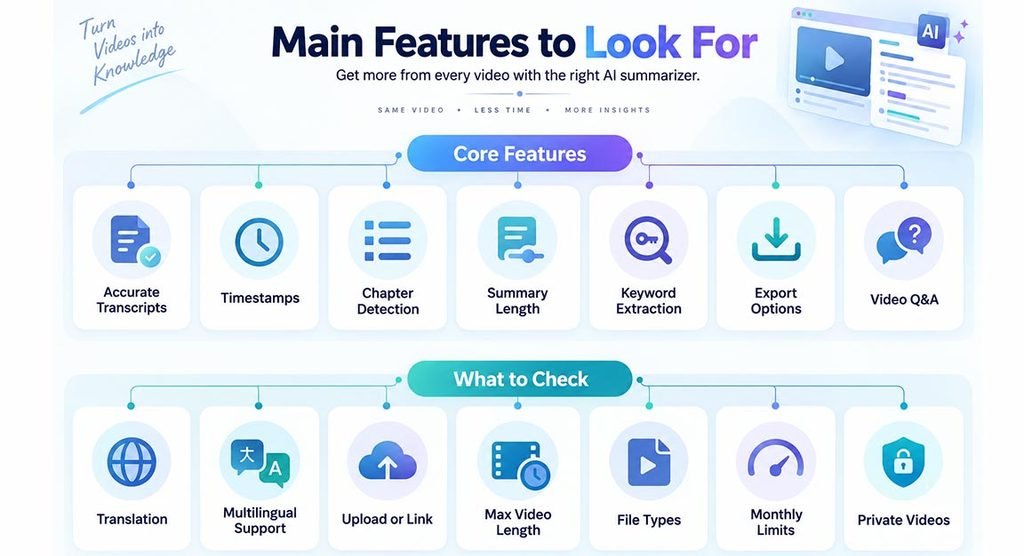
A strong tool should offer more than one short paragraph. Important features include accurate transcripts, timestamps, chapter detection, adjustable summary length, keyword extraction, and export options. Some tools also allow users to ask questions about the video. This helps users find specific answers faster.
Language support is also important. People who watch global content may need translation or multilingual transcription. Some platforms accept uploaded files, while others mainly work with video links. Before choosing a service, check its maximum video length, supported file types, monthly limits, and whether private videos can be processed.
How to Summarize a Video in Minutes With AI
Using a Video Summarizer AI is usually simple. First, paste a video link or upload a file. Next, choose the language and summary style if these options are available. The tool processes the audio, creates a transcript, and prepares the summary. Short videos may finish quickly, while longer files can need more processing time.
After the summary is ready, check important details against the original video. Pay close attention to names, dates, numbers, quotes, technical steps, and instructions. If timestamps are included, use them to review key parts. This simple check can prevent mistakes caused by unclear speech, strong accents, bad audio, or missing context.
Best Types of Videos to Summarize
AI summarization works best with videos that have clear speech and organized information. Common examples include YouTube tutorials, lectures, webinars, interviews, training videos, product demos, recorded presentations, and video podcasts.
Results may be weaker when there is heavy background noise, several people talking at the same time, or very little spoken explanation. Visual-only videos can also be difficult for tools that depend mainly on transcripts. A silent software or design tutorial, for example, may show important actions on screen that are never explained in words.
AI Video Summaries for Study, Work, and Research
Students can use Video Summarizer AI to turn long lessons into revision notes. However, students should still return to the full lesson when they need deeper explanations, exact examples, or information that may not appear in the summary.
At work, summaries can help with meetings, webinars, training sessions, and industry talks. Writers can use them to review interviews or research videos faster. The main value is not avoiding every video; it is finding the most useful sections faster.
Benefits of Using AI Video Summaries
The biggest benefit is time saving. A person can review the main ideas from several videos in the time normally needed to watch one. Written summaries also make information easier to search. This is useful when someone needs to find a name, topic, date, or idea later.
Another benefit is better organization. Notes, chapters, and timestamps can turn a long recording into a clear document. Still, a summary should support the original video, not fully replace it when accuracy matters.
Accuracy, Privacy, and Limitations You Should Know
AI can make mistakes. Poor audio may create wrong words in a transcript, and a short summary can remove an important condition or example. The system may also misunderstand jokes, sarcasm, specialist terms, or debates where speakers have different views. Users should verify important information before using it in school work, business decisions, medical topics, legal matters, or published content.
Privacy is another key issue. Uploading a private meeting or internal video may send sensitive information to an outside service. Before uploading confidential content, read the platform’s privacy policy and data retention rules. Check whether files are stored, how long they are kept, and whether users can delete them.
How to Choose the Right AI Video Summarizer
Start with your main need. A student may want detailed notes and question tools. A business user may care more about private uploads, team access, and action items. Also check pricing, free limits, supported languages, file-size limits, export formats, and privacy controls.
Test a tool with a video you already know well. Compare the transcript with the audio and check whether the summary keeps the real message. If the tool saves time without forcing you to fix many errors, it is more likely to be useful for regular work.
FAQs
Can AI summarize a YouTube video?
Yes. Many tools can summarize public YouTube videos by reading captions or creating a transcript from the audio.
Can AI summarize videos without subtitles?
Often, yes. Tools with speech recognition can create their own transcript, but audio quality affects accuracy.
Are AI video summaries always accurate?
No. They can miss context or make transcription errors, so important facts should be checked against the original video.
Can I use a video summary for study notes?
Yes. It can create quick revision notes, but the full lesson is still useful for detailed learning and examples.
Is it safe to upload private videos?
It depends on the service. Check its privacy, storage, and deletion rules before uploading confidential content.