What Is a Widget? Benefits, Types and Examples
If you use a phone, computer, or website, you have probably seen widgets many times. They can show the weather, upcoming meetings, battery level, music controls, news, or useful website tools. What Is a Widget is a common question because the word has several meanings in technology. In simple terms, a widget is a small digital tool or interface element that shows information or performs a focused action without making the user open a full app or page.
What Is a Widget?
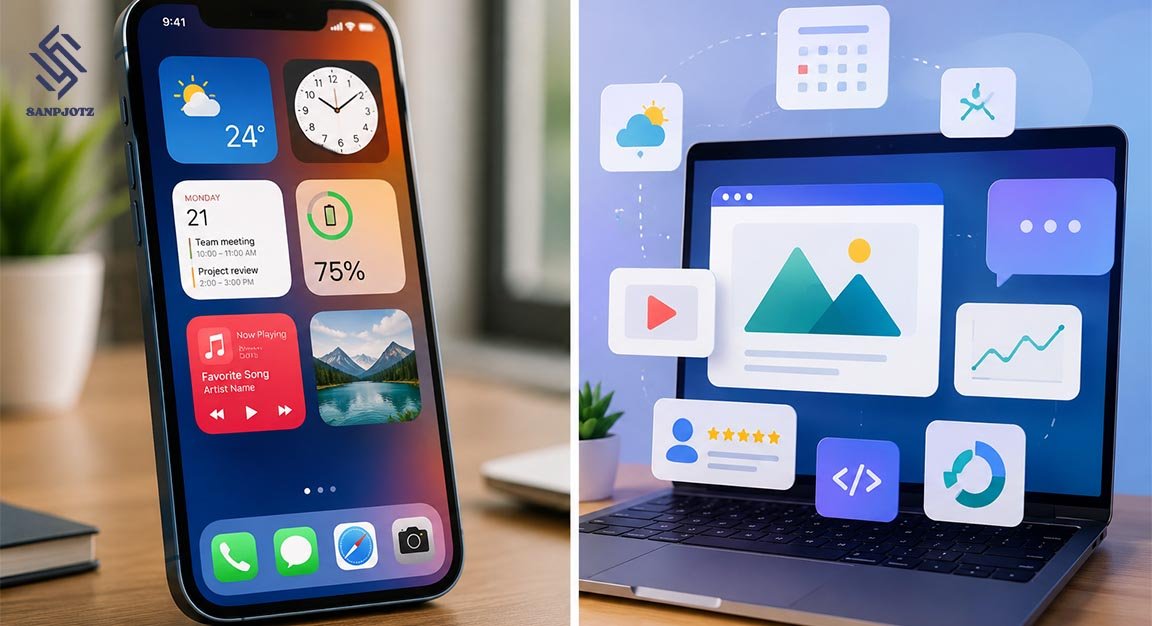
A widget is a small part of a digital interface that has one clear purpose. It may display information, provide a button, or allow a simple action. For example, a weather box on a phone can show the current temperature, while a music widget may let you pause or skip a song. The main purpose is to give users fast access to useful information or controls.
The meaning can change depending on the platform. On smartphones, widgets often appear on the Home Screen or Lock Screen. On websites, they may appear as chat boxes, forms, maps, or tools. In software development, buttons, menus, sliders, and text fields can also be called widgets because they are parts of a graphical user interface.
How Does a Widget Work?
A widget usually connects to an app, website, operating system, or online service. It takes a small amount of information or functionality from that source and displays it in a simple form. A calendar app, for example, may contain many tools, but its widget might only show your next three meetings. This makes information easier to see without opening the whole application.
When people ask What Is a Widget, it is useful to think of it as a small window into a larger service. Some widgets update automatically when new information becomes available. Others include controls that let users complete quick actions. However, operating systems may limit how often widgets update to protect battery life, mobile data, and device performance.
What Are the Main Types of Widgets?
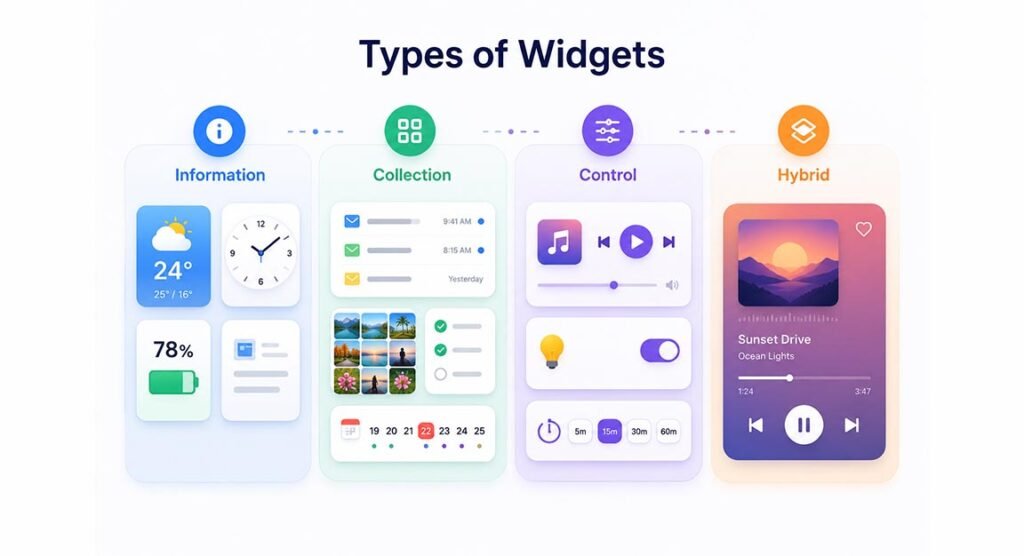
Widgets can be grouped by the job they perform. Information widgets mainly display useful details such as weather, time, battery level, news, stock prices, or sports scores. Collection widgets show several related items, such as emails, photos, tasks, or calendar events. They are useful when users want to view a short list without opening an app.
Control widgets allow quick actions, such as playing music, turning smart lights on or off, or starting a timer. Some widgets combine information and controls. These are often called hybrid widgets. A music player is a good example because it can show the song title and artist while also providing play, pause, and next-track buttons.
What Is a Widget on Android and iPhone?
On Android, widgets are small views connected to installed applications. Users can place them on the Home Screen, move them, and often resize them. Popular Android widgets include Google Calendar, Gmail, Clock, Weather, Google, music players, and note apps. Larger versions can usually display more details than smaller versions.
On iPhone, widgets can appear on the Home Screen, Lock Screen, Today View, and StandBy. Apple also supports widgets across devices such as iPad, Mac, and Apple Watch. Many modern Apple widgets are interactive, meaning users can complete tasks, control smart-home devices, or manage reminders without opening the full application.
What Is a Website Widget?
A website widget is a small tool placed inside a web page to provide a useful feature. Common examples include live chat, contact forms, booking forms, maps, boxes, social media feeds, review boxes, calendars, calculators, and newsletter forms. Website widgets make it easier for site owners to add functions without building every tool from the beginning.
Some website widgets are created directly by the website developer. Others come from third-party services and can be added with a small piece of HTML or JavaScript code. For example, a business may install a live-chat widget that appears in the lower corner of its website and allows visitors to contact customer support.
What Are the Benefits of Using Widgets?
The biggest benefit of widgets is convenience. They reduce the number of steps needed to find information or complete a small task. Instead of opening a weather application, users can check the temperature directly on the Home Screen. Instead of opening a music app, they can pause a song from a control widget.
Understanding What Is a Widget also shows why widgets can improve productivity. Calendar, email, task, and reminder widgets help users see important information quickly. Website widgets can improve customer service by adding chat, booking, or contact options. Well-designed widgets save time, make software easier to use, and keep important information visible.
Widget vs App, Shortcut and Plugin
A widget is not the same as an app. An app provides a complete experience with many screens, tools, and settings. A widget normally shows only one small part of that experience. A weather application may include detailed maps and hourly forecasts, while its widget may only show the current temperature and a short forecast.
A shortcut usually opens an app, file, or specific action, while a widget can show live information without opening anything. A plugin adds extra features to a larger system. For example, a WordPress plugin may add a booking system and provide a booking widget. The plugin adds the feature, while the widget is the part users see and interact with.
Common Examples of Widgets
Daily life provides many simple examples. A weather widget can show temperature and rain conditions. A calendar widget can display upcoming meetings. A battery widget may show the power level of a phone and connected devices. A music widget can display the current song and provide basic playback controls.
What Is a Widget may also be thinking about websites. Online stores often use chat widgets, review widgets, product recommendation boxes, or currency converters. Blogs may use, recent-post, or social-media widgets. Software programs also contain basic interface widgets such as buttons, checkboxes, menus, sliders, and text fields.
Are Widgets Safe and Do They Use Data?
Widgets from trusted apps are generally designed to work as part of those applications, but they can still display or use personal information. A calendar widget may show meeting details, while an email widget may show message previews. Users should be careful when placing private information on a Lock Screen or any area that other people can easily see.
Some widgets use internet data because they need updated information. Weather, news, sports, and stock widgets may contact online services in the background. They can also use a small amount of battery power. Modern systems such as Android and iOS control background activity to reduce unnecessary battery and data use.
How to Choose and Use Widgets Effectively
The best widgets are simple and useful. Choose widgets for information you check often, such as weather, calendar events, tasks, battery levels, or music controls. Avoid filling every part of your Home Screen with widgets because too many can make the screen difficult to use. Select the right size so important details remain clear.
The easiest way to remember What Is a Widget is to think of it as a small tool that gives quick access to information or a focused action. It does not replace a full application. Instead, it brings the most useful part of an app, website, or digital system closer to the user, helping people save time and complete common tasks more easily.
FAQs
What is a widget in simple words?
A widget is a small digital tool that displays information or performs a simple action. Examples include weather boxes, clocks, calendars, chat tools, and music controls.
What is an example of a widget?
A weather box showing the current temperature on a phone Home Screen is a common example. Calendar, battery, and music controls are also popular widgets.
Is a widget the same as an app?
No. An app provides a complete set of features, while a widget normally shows only selected information or controls from an app.
Do widgets use battery power?
Yes, some widgets use a small amount of battery because they update information. However, Android and iOS control background activity to limit unnecessary power use.
Can I remove a widget without deleting the app?
Yes. In most cases, removing a widget only removes it from your Home Screen or another display area. The main app normally remains installed.