Can Someone See If You Screenshot Their Instagram Story?
Instagram Stories are a popular way to share daily moments, photos, videos, updates, and private thoughts. Many users enjoy watching Stories, but they often feel unsure about screenshots. The most common question is, “can someone see if you screenshot their instagram story?” In most cases, the answer is no. Instagram does not normally send a notification when you capture a regular Story. Still, some private messages follow different rules, so it is important to understand how the system works.
Screenshot Instagram Story Complete Privacy Guide
When you take a screenshot of a normal Instagram Story, the Story owner does not usually receive any warning. Instagram does not send them a message, email, or mobile notification. It also does not place a screenshot icon next to your profile name.
However, the person may still see that you viewed the Story. When you open a Story while logged into your account, your username can appear in the viewer list. The owner can normally see that you watched the content, but they cannot see whether you saved it through a screenshot.
This rule usually applies to public Stories, private-account Stories, and Close Friends Stories. A private profile controls who can view the content, but it does not normally create a screenshot alert.
So, when users ask “can someone see if you screenshot their instagram story?”, the simple answer is no for a regular Story.
Does Instagram Notify Users About Screen Recordings?
Instagram does not normally send a notification when someone records a regular Story. A screen recording may capture a full video, background music, moving text, or several Story slides. The Story owner can usually see that your account viewed the Story, but Instagram does not tell them that you recorded your screen.
A Screenshot Instagram Story action and a screen recording follow almost the same privacy rule. Both actions are normally hidden from the Story owner.
Still, this does not mean every recording should be shared. A Story may include someone’s child, home, workplace, live location, medical information, or private family moment. Saving the content may be easy, but sharing it without permission can create privacy and trust problems.
When Does Instagram Send Screenshot Notifications?
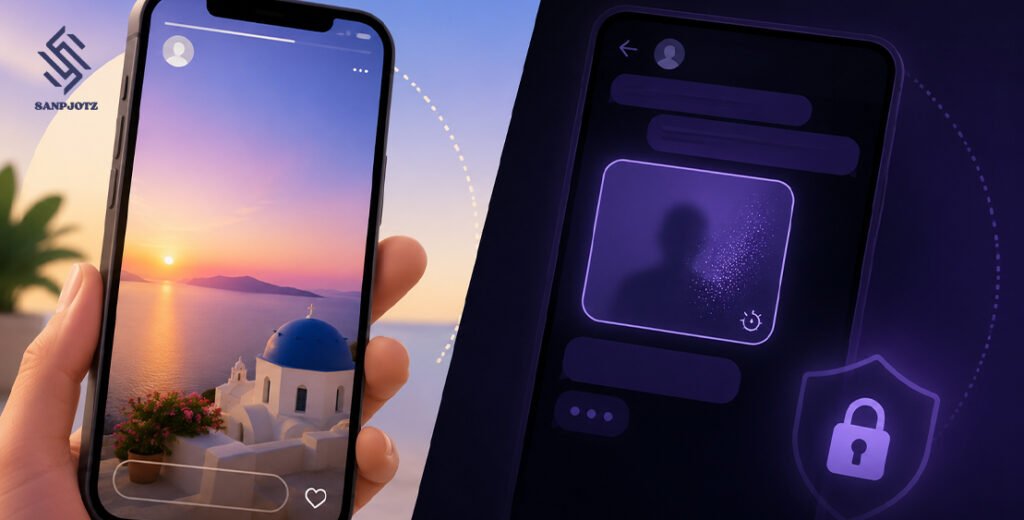
The main screenshot exception is connected to disappearing content in Instagram Direct Messages. These private messages are different from normal Stories.
Instagram may notify the sender when someone captures a disappearing photo, disappearing video, or temporary chat message. Some private media is sent with options such as View Once or Allow Replay. Instagram may show a screenshot symbol, send an alert, or block the screenshot completely.
Meta introduced stronger safety protection for some disappearing images and videos because temporary private content can be misused. These protections are designed to reduce online abuse, blackmail, and sextortion.
The exact result may depend on the message type, device, and Instagram app version. However, the main point is clear: normal Stories do not usually send screenshot alerts, while disappearing private messages may do so.
Instagram Stories and Disappearing Messages Are Different
Many users become confused because both Stories and temporary direct messages can disappear. A normal Story usually stays visible for 24 hours, while a disappearing message may only be viewed once or replayed for a short time.
A Story appears at the top of the Instagram app or on a user’s profile. A disappearing photo or video appears inside a private chat. These features look similar because both can be temporary, but their privacy systems are not the same.
Instagram normally allows screenshots of public Stories, private Stories, Close Friends Stories, and Highlights without sending a notification. Standard text messages and permanent photos in a chat also do not usually create alerts.
Temporary private media is different. If someone sends a disappearing photo, disappearing video, or temporary message, Instagram may notify the sender or prevent the screenshot.
Can You Screenshot Close Friends Stories and Highlights?
A Close Friends Story is shared with a smaller group of people selected by the account owner. It normally has a green circle around the profile photo. Even though this content is more private, Instagram does not usually notify the owner when someone takes a screenshot.
The owner can still see who viewed the Story. They may also guess who shared it if the content was only shown to a few people. This means a screenshot may stay hidden inside Instagram, but the person may still discover it later.
Story Highlights follow a similar rule. Highlights are old Stories saved on a profile. They remain visible until the account owner removes them. You can normally Screenshot Instagram Story Highlights without creating an alert.
However, saved content still belongs to its creator. You should ask for permission before using it in advertising, news content, social media posts, business pages, or other public places.
What Information Can a Story Owner See?
A Story owner can normally see the usernames of people who viewed the Story. They may also see direct actions taken on the content.
For example, the owner can see if you liked the Story, replied to it, sent an emoji reaction, answered a question sticker, voted in a poll, or responded to a quiz. These actions are visible because they are direct forms of engagement.
The owner cannot normally see how long you watched the Story, how many times you replayed it, where you paused it, or which part you captured. They also cannot normally see whether you zoomed in or saved the screen.
Business and creator accounts may receive extra data, including reach, views, replies, and engagement numbers. However, these accounts still do not normally receive a list of people who took screenshots.
Why Do People Think Instagram Sends Story Alerts?
One major reason is an Instagram test from 2018. During that test, some users saw a small screenshot sign next to the name of a person who captured their Story.
Instagram later ended the test, but old articles, videos, and screenshots are still online. Many people see this outdated information and believe the feature is still active.
Another reason is Snapchat. Snapchat is well known for sending screenshot notifications. Since Instagram Stories and Snapchat Stories look similar, users often think both apps use the same rules.
People may also receive a screenshot alert in an Instagram disappearing chat. They may then believe that every Instagram screenshot creates a notification. In reality, the alert is linked to temporary private content, not a normal Story.
Can Third-Party Apps Detect Story Screenshots?
Some apps and websites claim they can show who took a screenshot of your Story. These services are usually unreliable.
Instagram does not normally provide third-party services with a list of Story screenshot users. An app may display normal viewers, random names, or fake results and claim they are screenshot records.
These services may also ask for your Instagram password, login code, payment details, email account, contacts, or full profile access. Sharing this information can lead to account theft, spam, hidden payments, and loss of personal data.
If you have used one of these services, change your password as soon as possible. Turn on two-factor authentication, review your login activity, and remove unknown devices or connected apps.
A trusted service should never promise secret Instagram data that Instagram itself does not provide.
Is It Safe to Share a Story Screenshot?
Taking a screenshot does not automatically give you permission to repost it. A Story may contain copyrighted photos, private messages, children, personal addresses, live locations, workplace details, or sensitive health information.
Saving content for personal use is different from sharing it publicly. Problems may happen when a screenshot is used to embarrass someone, spread false information, reveal a private place, harm a career, or advertise a product without permission.
Before sharing a Screenshot Instagram Story file, think about the possible effect on the other person. Remove usernames, addresses, phone numbers, faces, or other private details when necessary.
A Story may disappear after 24 hours, but a screenshot can remain in cloud storage, group chats, photo galleries, and online posts for many years.
How Can You Protect Your Instagram Stories?
You cannot fully stop someone from photographing a screen with another phone. However, you can reduce the risk by using stronger privacy settings.
Make your account private and review your follower list often. Remove accounts you do not know or trust. You can also hide Stories from selected users or share personal content only with Close Friends.
Avoid posting your live location, home address, school details, ID documents, bank information, tickets, phone number, passwords, security codes, or private medical records.
You may also wait until you leave a place before posting about it. A watermark can help show ownership, although it cannot stop screenshots.
If someone misuses your Story, save clear evidence, report the account, and block or restrict the user. Serious cases involving threats, stalking, blackmail, or intimate images may require help from a trusted person, school, workplace, or legal authority.
FAQs
Does Instagram notify someone when I screenshot a Story?
No. Instagram does not normally send a notification for a regular Story screenshot.
Can someone see if I screen-record their Story?
No. They may see that you viewed the Story, but they cannot normally see that you recorded it.
Do Close Friends Stories send screenshot alerts?
No. Close Friends Stories normally follow the same screenshot rule as public and private Stories.
When does Instagram show a screenshot alert?
Instagram may show an alert or block screenshots for disappearing photos, videos, and temporary private messages.
Can an app tell me who screenshotted my Story?
No reliable app can normally provide this information. Apps that request your password may put your account at risk.