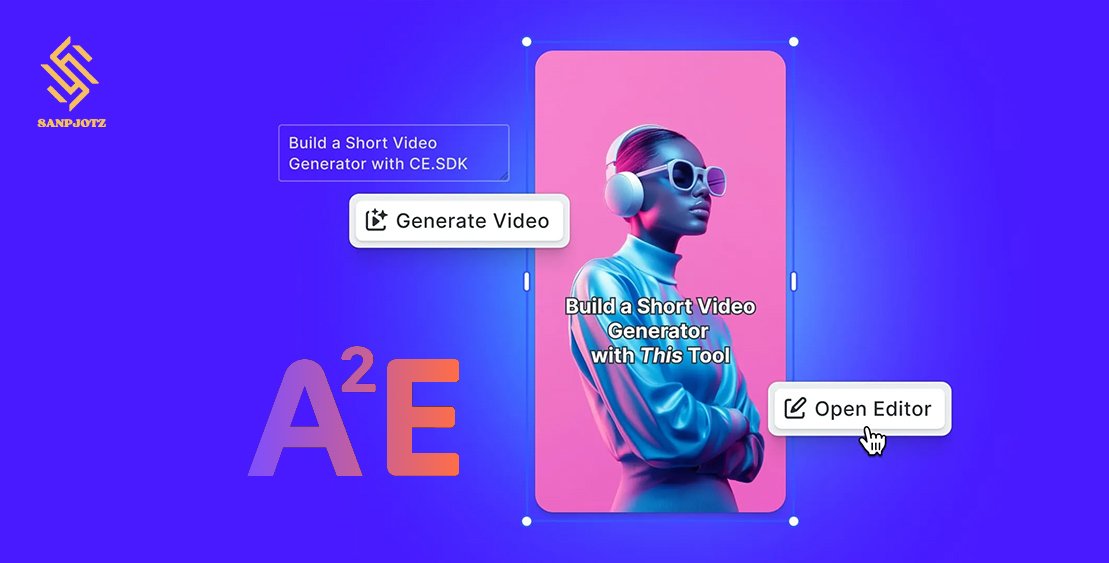
A2E AI Review 2026: Features, Pricing and How It Works
A2E AI is an all-in-one creative platform for generating videos, images, avatars, voices, and AI-assisted edits. Its biggest advantage in 2026 is access to multiple well-known models from one dashboard, including Kling, Seedance, Wan, Veo, Sora, Grok Imagine, Hailuo, and MiniMax. Instead of relying on one generation engine, users can switch models depending on the type of content they want to create.
That flexibility makes A2E useful for social media creators, marketers, small production teams, and people experimenting with AI video. However, the platform uses a credit-based system, and premium models can consume credits quickly. This A2E AI review explains how the platform works, what its main tools are, how pricing works, and whether it is worth using in 2026.
What Is A2E AI and What Can You Do With It?
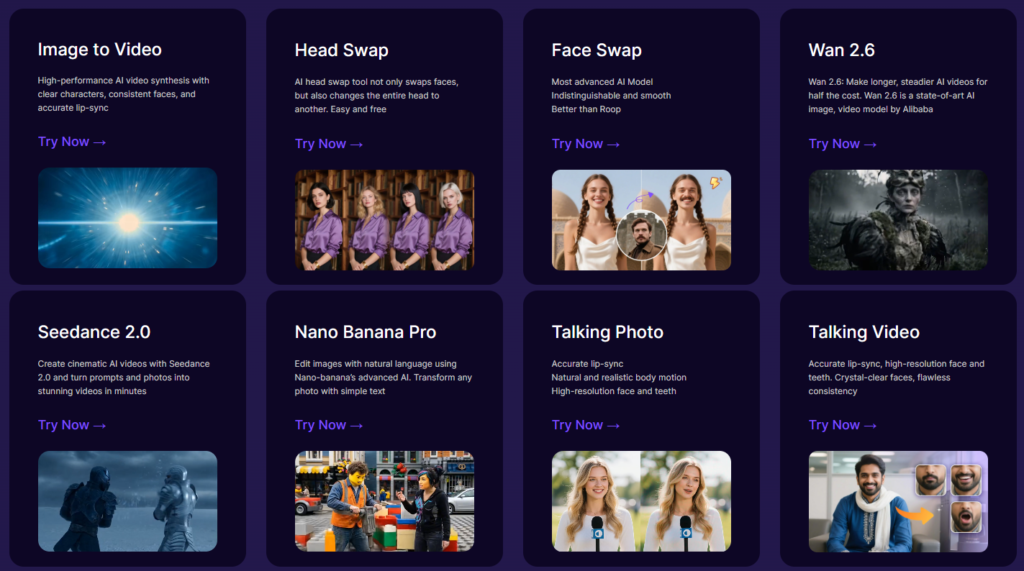
A2E AI is a web-based creative platform that combines several AI tools in one place. It supports image-to-video, text-to-image, talking photos, AI avatars, face swapping, head swapping, voice cloning, actor animation, virtual try-on, upscaling, and video-to-audio generation.
What makes A2E different from a single-model generator is its role as a multi-model platform. When you use Kling, Seedance, Veo, or another model through A2E, the platform handles access, credits, and workflow, while the actual generation quality still depends heavily on the selected model.
This matters because different models perform better at different tasks. One model may handle realistic motion better, while another may perform more reliably with image references or cinematic camera movement. In practice, A2E is most useful when you treat model selection as part of the creative process rather than assuming a single model is ideal for every shot.
A2E AI Features for Video, Images, Avatars and Audio
A2E offers more than basic video generation. Its current platform includes image-to-video creation, AI avatars, lip sync, face and head replacement, text-to-image generation, talking photos, custom voices, actor swaps, video upscaling, and other editing tools.
The image tools can be especially helpful before generating video. Instead of asking an AI model to invent everything from a text prompt, creators can build a strong first-frame image first. That gives better control over subjects, clothing, products, vehicles, backgrounds, and camera composition.
The avatar and voice tools are aimed more at explainers, marketing videos, tutorials, and presenter-style content. A creator can generate a talking avatar, add text-to-speech, or use a permitted cloned voice without needing a full cinematic workflow.
One practical advantage is reduced platform switching. Instead of generating an image on one website, animating it somewhere else, and then using another service for lip sync or upscaling, much of the process can be handled inside A2E.
AI Models Available on A2E AI in 2026
A2E’s model library is one of its strongest selling points. The platform currently lists video models such as Seedance 2.5, Seedance 2.0, Kling 3.0, Kling 2.6, Wan 3.0, Wan 2.7, Veo 3.1, Sora 2 Pro, Grok Imagine, Hailuo 2.3, and MiniMax H3.
These models differ in more than visual style. Some focus on stronger reference handling, while others are better suited to longer shots, motion realism, native audio, or faster generation. A2E says Wan 3.0 supports longer single takes and multiple reference assets, while MiniMax H3 supports multimodal inputs and native stereo audio.
This means users should avoid choosing models based only on resolution. Prompt adherence, character consistency, camera movement, object stability, audio support, and credit cost are often more important than whether a clip is generated at 720p, 1080p, or higher.
For regular creators, testing two or three models with the same reference image can reveal which one works better for a specific type of scene.
How to Use A2E AI to Create Videos Step by Step
Using A2E is relatively simple. After creating an account, users can open a video generation tool, select a model, upload an image if needed, enter a prompt, choose available settings, and generate the clip.
For image-to-video, the source image matters almost as much as the prompt. A clear image with good lighting, visible details, and a stable composition gives the AI fewer things to guess. If the image is blurry or poorly framed, even an expensive model may struggle to produce a convincing result.
A good motion prompt should focus on what changes during the video. Describe camera movement, body movement, environmental motion, speed, and what should remain unchanged. Avoid overloading the prompt with unnecessary details already visible in the image.
It is also smart to test a cheaper or shorter generation before using a high-cost mode. Once the motion and composition look right, you can spend more credits on the final version. This approach often reduces wasted generations.
A2E AI Image-to-Video, Lip Sync and Face Swap Tools
Image-to-video is one of A2E’s most practical tools. Users upload a still image and ask the model to animate it. This is useful when visual consistency matters, such as with a specific product, character, vehicle, outfit, or scene.
Text-to-video gives the model more creative freedom, but that can also make results less predictable. Image-to-video provides a stronger visual starting point and can reduce unwanted changes between frames.
A2E also offers lip sync and talking-photo tools. These can animate a face using speech while trying to preserve facial identity and natural movement. They are particularly useful for social media presenters, tutorials, localized content, and short marketing videos.
Face swap and head swap are separate tools. Face swap mainly changes facial identity, while head swap replaces a larger area. These features can be useful for legitimate creative work, but users should always have permission when using another person’s face or likeness.
A2E AI Pricing, Free Credits and Paid Plans
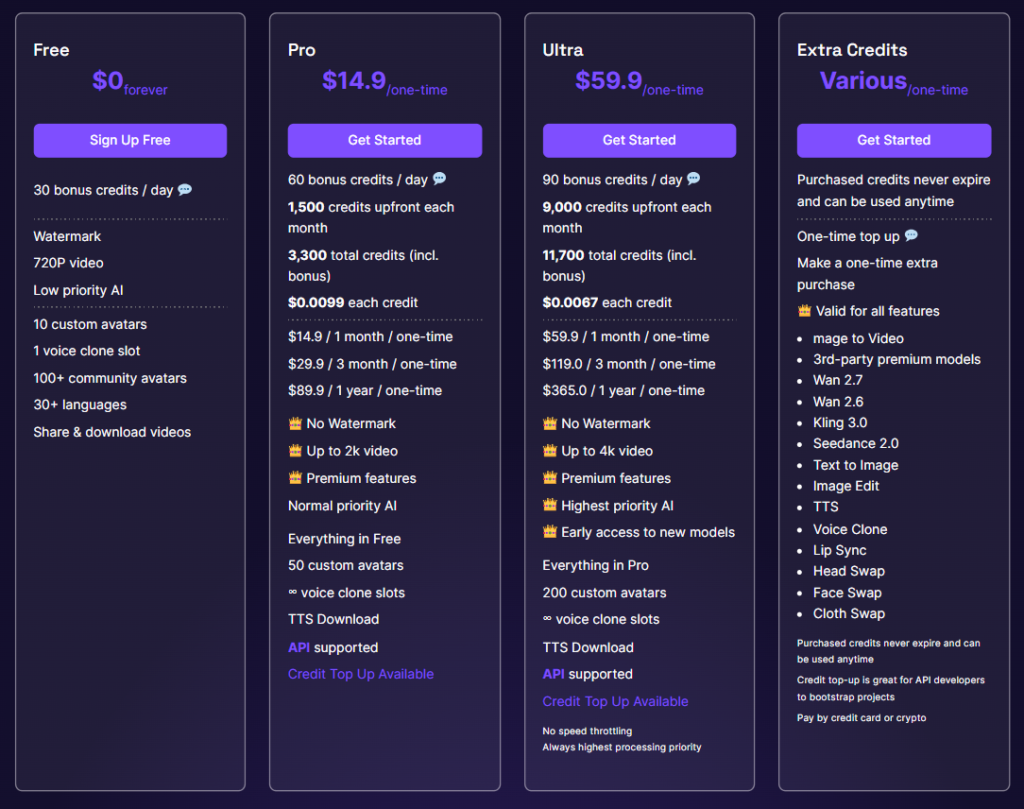
A2E currently offers Free, Pro, and Ultra plans. The Free tier includes 30 daily bonus credits, 720p output, a watermark, and lower processing priority. It is useful for testing the platform before paying.
The Pro plan currently shows 60 daily bonus credits, additional monthly credits, no watermark, access to premium tools, and higher-resolution output. Ultra provides more monthly credits, higher processing priority, and access to higher-resolution workflows where supported.
There is one important detail: A2E’s pricing page has shown different prices in different sections, so users should verify the checkout price before subscribing rather than relying on an old review or screenshot.
The more important issue is credit usage. Basic image-to-video generations may cost relatively few credits, but premium models can be much more expensive. For example, Veo, Kling, and Sora options can consume hundreds of credits depending on duration and quality settings.
That means subscription price alone does not show the real cost. A creator should calculate how many usable clips they get from a certain number of credits. If four generations are needed to produce one publishable clip, the real cost is much higher than the listed cost of a single generation.
Video Quality, Resolution and Generation Performance
A2E supports different output resolutions depending on the plan and model. Free users are generally limited to lower-resolution output, while paid plans support higher resolutions and remove watermarks.
However, resolution is not the most important quality factor in AI video. A high-resolution clip can still suffer from unstable hands, changing objects, unnatural motion, or inconsistent faces. A stable lower-resolution generation can often be more useful and may be upscaled later.
Quality also varies by model. Kling, Seedance, Wan, Veo, and Sora interpret prompts differently, so it is difficult to judge A2E as if it had one single generation style. The better approach is to test models against the same scene and compare motion, consistency, prompt following, and cost.
Processing speed also depends on plan level and platform demand. Paid users generally receive higher priority, while free users may experience slower queues.
A2E AI Pros and Cons for Content Creators
A2E’s main strength is convenience. Users can access many AI models without maintaining separate accounts, billing systems, and workflows. This makes experimentation much easier, especially for creators who regularly switch between video styles.
The platform also combines generation and editing tools. Image creation, avatars, lip sync, voice cloning, face replacement, audio tools, and upscaling can all be part of the same workflow.
The main downside is unpredictable credit consumption. Premium models can use large numbers of credits, and repeated generations can quickly reduce a monthly balance. This is especially important for users who create longer or more complex video scenes.
Another limitation is that A2E cannot fix weaknesses built into a third-party model. If a model struggles with certain types of motion or consistency, using it through A2E will not automatically solve those problems.
For people who mostly use one model, the model’s native platform may sometimes offer better pricing or deeper controls. A2E makes the most sense for users who value variety and flexibility.
Is A2E AI Safe and Can You Use Its Content Commercially?
A2E’s terms state that users retain rights to their uploaded and generated content, while the platform processes that content to provide its services. The terms also discuss content retention and deletion periods.
A2E says it does not generally use personal data to train separate AI products. Even so, creators handling confidential client footage, private images, or unreleased commercial assets should read the latest privacy policy and terms before uploading sensitive material.
Commercial use is supported in certain A2E services, but that does not mean users automatically receive rights to third-party material. Copyrighted characters, music, trademarks, celebrity likenesses, or cloned voices still require appropriate permission.
The safest approach is to treat AI generation rights and intellectual-property rights as separate issues. A platform may allow commercial use of its service, but it cannot give you ownership of material you did not have the right to use in the first place.
Is A2E AI Worth Using in 2026?
A2E AI is worth considering if you want access to several AI models without managing many separate platforms. Its biggest strength is flexibility rather than one exclusive generation technology.
For beginners, the free daily credits make it possible to test the platform with little risk. For professional creators, the value depends more on how efficiently they use credits and how often they switch between models.
A2E is especially useful for people who create different types of content, such as cinematic clips, product videos, avatars, talking photos, or social media visuals. It can also work well as a testing environment before committing to a specific model.
The smartest approach is to use lower-cost generations for testing and premium models only when the added quality is necessary. Used this way, A2E can be a practical multi-model production platform rather than an expensive one-click generator.
FAQs
Is A2E AI free?
Yes. A2E currently offers a free plan with daily bonus credits, limited resolution, and watermarked output.
Does A2E AI support Kling and Seedance?
Yes. A2E currently provides access to several Kling and Seedance versions, as well as Wan, Veo, Sora, and other models.
Can A2E AI create videos without a watermark?
Yes. Watermark-free generation is available on paid plans.
Can A2E AI be used commercially?
Commercial use is supported for eligible A2E workflows, but users still need proper rights to any copyrighted content, faces, voices, music, or trademarks included in their projects.