OpenDream AI Review: Features, Plans and Benefits
OpenDream AI is a browser-based image generator that turns written prompts into digital artwork. It is designed for beginners, bloggers, marketers, designers, and creative users who want images without learning complex design software. The service includes free access, paid plans, ready-made templates, different AI models, and advanced controls. This review explains how the platform works, what its main features are, how much it costs, and what users should know before choosing a plan.
What Is OpenDream and How Does It Work?
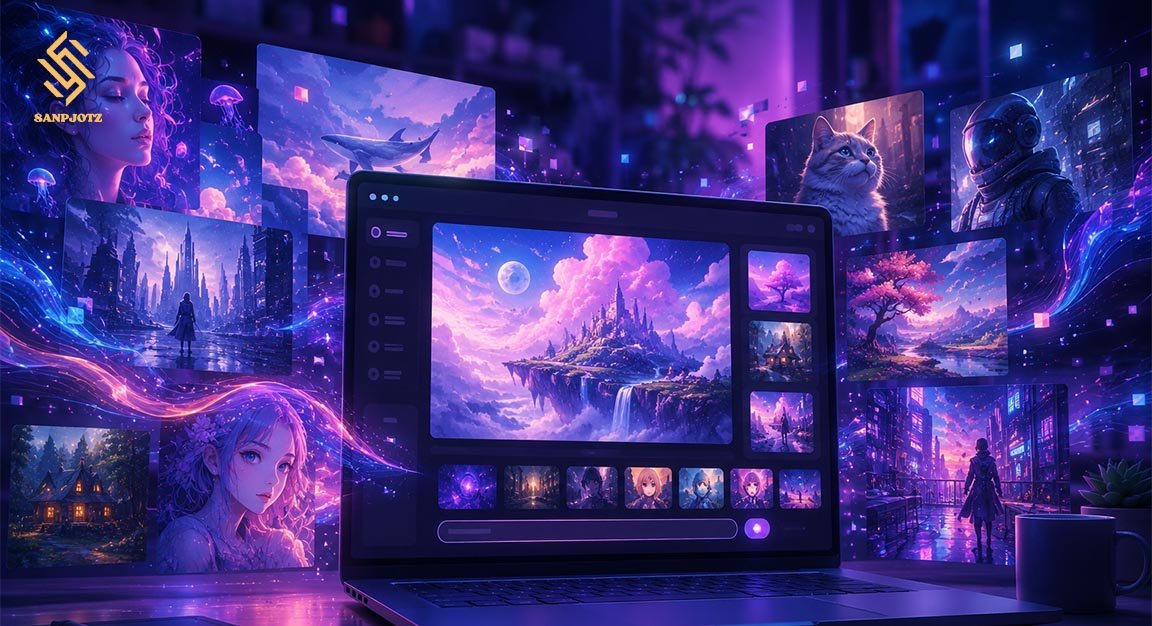
The platform works mainly through text-to-image generation. A user writes a description of the image they want, selects a style or model, and starts the generation process. The AI then creates artwork based on the prompt. Users can make portraits, landscapes, anime images, fantasy scenes, logos, product concepts, and many other types of visual content.
OpenDream AI also provides templates for people who do not want to build detailed prompts from the beginning. A template may already include a visual style and useful settings. Users can choose one, add their subject, and generate an image. More experienced creators can change settings such as image size, sampling steps, guidance strength, sampler type, and negative prompts.
Main Features for Image Creation
One of the platform’s strongest features is its mix of simple and advanced controls. Beginners can start with short prompts, while experienced users can give the generator more detailed instructions. Negative prompts allow users to tell the system what should not appear, such as blurry details, extra fingers, unwanted text, poor anatomy, or duplicate objects.
The platform also supports prompt weighting, which can make certain words more or less important. Users may change aspect ratios and image dimensions depending on whether they need a portrait, square image, or landscape. Several generations can also be created from one prompt, making it easier to compare results and choose the best version.
AI Models and Image Styles Available
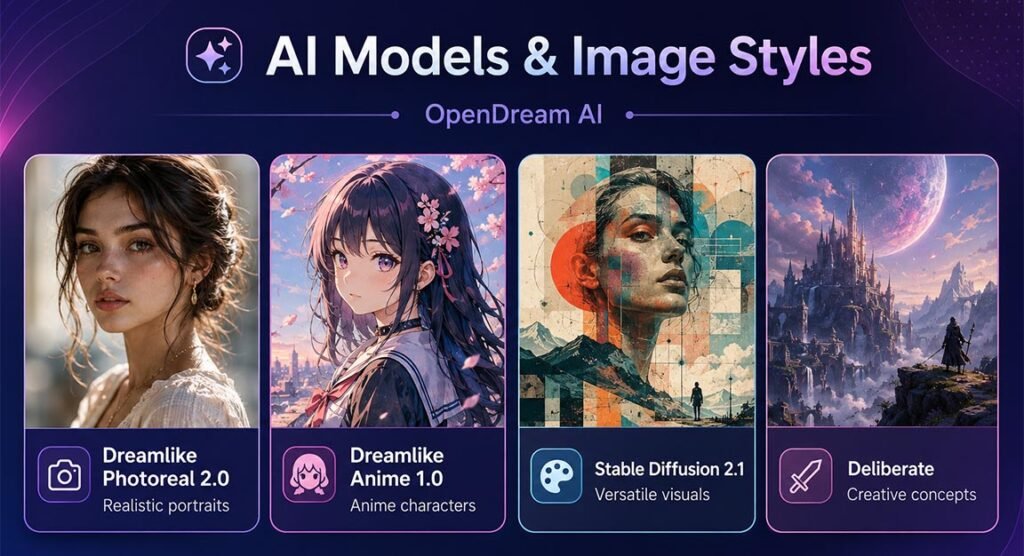
Different AI models can create different types of pictures. The service has listed models such as Dreamlike Photoreal 2.0, Dreamlike Anime 1.0, Stable Diffusion 2.1, and Deliberate. Model availability can depend on the account type, so free and paid users may not always receive the same options.
OpenDream AI can therefore be useful for several creative needs. Photoreal models are better for realistic scenes and portraits, while anime-focused models are suitable for illustrated characters. Other models can handle fantasy art, digital painting, concept designs, landscapes, and mixed creative styles. Results still depend heavily on the quality of the prompt.
Templates, Prompts and Generation Controls
The template library makes the platform easier to understand for new users. Examples have included anime characters, angelic art, logos, old-town scenes, clothing concepts, children’s book images, architecture, and fantasy designs. Templates can save time because users do not always need to create complicated style instructions themselves.
More advanced controls include guidance scale, sampling steps, samplers, dimensions, and negative prompts. Guidance scale affects how closely the image follows the written request. Sampling steps influence the image-building process. The platform has also explained sampler options such as DDIM, Euler, Euler A, and LMS. Beginners can normally use default values until they gain experience.
Free Plan and Daily Credits
The free option is useful for anyone who wants to test the generator before paying. The current pricing information has listed a $0 Free plan with daily credits, limited settings, lower generation priority, and fewer model choices. The pricing page has shown 24 daily credits, although another official policy page has previously mentioned a different free-credit figure.
Because online services can change their limits, users should check the account dashboard before calculating exact daily usage. OpenDream AI normally uses credits when images are created. One standard image has been listed as costing around two credits, meaning the number of images a user can create depends on the available credit balance and selected settings.
Core and Pro Plans Explained
For regular creators, paid plans offer much larger credit limits. The Core plan has been listed at $12 per month with 3,000 monthly credits. At a basic cost of two credits per standard image, this can provide a large number of generations for people who create blog images, concepts, social media graphics, or experimental artwork.
The Pro plan has been listed at $24 per month with 12,000 monthly credits. It is better suited to heavier use. Paid membership can also unlock additional models and more generation options. Annual billing may offer savings, with the service advertising an annual discount. Prices and benefits can change, so checking the live pricing page before subscribing is important.
Pricing, Payments and Refund Rules
Payments are handled through Stripe, which commonly supports major cards and digital wallet options such as Apple Pay and Google Pay. The platform does not normally need a special paid trial because users can explore its free level first. This allows people to check image quality and basic tools before entering a monthly or annual subscription.
Refund rules are more limited. Official information has stated that eligible refund requests should normally be made within seven days, with restrictions based on how many subscription credits have already been used. Users should read the current billing conditions carefully before purchasing, especially if they plan to generate many images immediately after upgrading.
Main Benefits for Creators
A major benefit of OpenDream AI is accessibility. It runs in a web browser and does not require professional drawing skills. The combination of templates and advanced controls makes it suitable for both new and experienced users. A beginner can create an image with a simple prompt, while an advanced creator can adjust more technical settings.
Another benefit is variety. Users can experiment with realistic pictures, anime, illustrations, fantasy scenes, logos, and other visual ideas. The public gallery and template collection can also provide inspiration. For bloggers and marketers, fast image generation can help during brainstorming, although important commercial images should always be reviewed carefully before publication.
Limitations and Important Things to Know
AI image generation is not always perfect. Hands, faces, small objects, text inside images, or detailed body positions may sometimes look wrong. Users may need several attempts to get a strong result. Better prompts and negative prompts can improve quality, but they cannot guarantee that every image will match the original idea exactly.
Commercial use also needs care. The service may allow users to use generated images commercially, but AI copyright rules are still developing in many countries. Users should avoid copying protected logos, famous characters, copyrighted artwork, or another person’s identity without proper rights. Businesses should check both the service terms and local laws before using AI images in major campaigns.
Is OpenDream Worth Using in 2026?
OpenDream AI offers a useful balance between easy image creation and more detailed generation controls. Its free access makes it simple to test, while Core and Pro plans provide larger credit limits for regular creators. Templates are helpful for beginners, and different models give users more choices in visual style.
It is best for users who want fast creative ideas, social graphics, blog visuals, illustrations, or concept art. People who need perfect text rendering, fully predictable images, or guaranteed legal ownership may need extra editing and legal checks. Testing the free version first is the easiest way to decide whether its workflow and image quality match your needs.
FAQs
Is the platform free to use?
Yes. A free plan is available with daily credits and limited features. Users who need more generations can move to a paid plan.
How much does the Core plan cost?
The Core plan has been listed at $12 per month and includes 3,000 monthly credits.
How much does the Pro plan cost?
The Pro plan has been listed at $24 per month with 12,000 monthly credits for heavier image generation.
Can I use generated images commercially?
Commercial use is allowed under the platform’s stated terms, but users should still check copyright, trademark, and local legal rules.
Does it work for beginners?
Yes. Templates, simple prompts, and default settings make the platform easy to start with. Advanced controls are available when users need more flexibility.