How to Unpin Someone on Snapchat Without Them Knowing
If your Snapchat chat list feels crowded, you may want to remove a pinned conversation without making things awkward. The good news is that Snapchat treats normal conversation pins as a private chat-management feature. Learning How to Unpin Someone on Snapchat is simple, and the other person does not get a normal alert just because you change your pinned chats. You can organize your Chat screen without deleting messages, ending a Snapstreak, or removing the person from your friends list.
What Does Unpinning Someone on Snapchat Mean?
When you pin a conversation, Snapchat keeps that chat near the top of your Chat screen. This makes it easier to find people you speak with often. Unpinning simply removes that fixed position. The conversation still remains available, but it can move lower in your chat list depending on your recent activity.
This action does not change the friendship itself. The other person can still send you Snaps, messages, calls, and reactions. Your saved messages also remain unless you remove them separately. So, unpinning is mainly an organizational tool rather than a major account change.
How to Unpin Someone on Snapchat Step by Step
If you want to know How to Unpin Someone on Snapchat, open the app and swipe right from the Camera screen to enter the Chat section. Find the conversation that is currently pinned. Press and hold the person’s name or chat until the options menu appears.
Choose Chat Settings, then tap Unpin Conversation. The chat will stop staying at the top of your list. Snapchat’s normal conversation pin feature is mainly supported on iPhone/iOS, so Android users may not see exactly the same options. Always keep your Snapchat app updated because menu names and features can change.
Can You Unpin Someone Without Them Knowing?
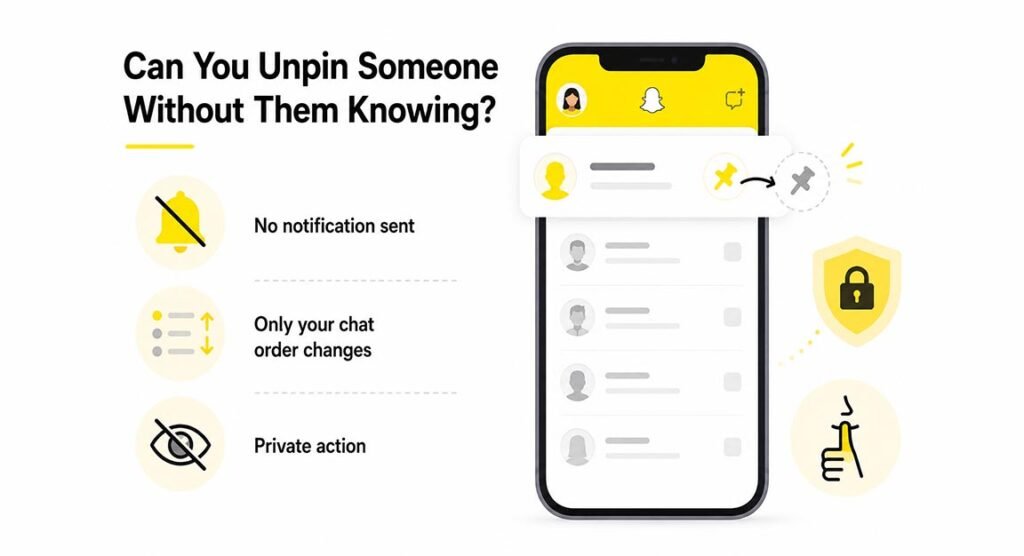
Yes, in normal use you can unpin a conversation privately. Snapchat does not send the other person a standard notification when you manage a normal conversation pin. They will not receive a message saying that you removed them from your pinned area.
This is why How to Unpin Someone on Snapchat is often searched by users who do not want to hurt someone’s feelings. The pin only affects how your own Chat screen is organized. However, a person could notice other changes in your behavior, such as if you suddenly stop chatting with them, but Snapchat itself does not normally tell them about the unpin action.
What Happens After You Unpin Someone?
Once you select Unpin Conversation, the chat returns to the normal conversation list. Its position can then depend on your recent messages and activity. If you speak with that person again, their chat may naturally move toward the top, just like other active conversations.
Nothing else happens automatically. Snapchat does not remove the person from your friends list, erase your saved messages, or block communication. You can also pin the conversation again later if you change your mind. This makes the feature useful when you want to organize chats for a short period.
Does Unpinning Delete Chats, Messages, or Snapstreaks?
No. Unpinning does not automatically delete a chat or remove saved messages. Your conversation history will continue to follow Snapchat’s normal chat settings. If messages are saved in Chat, they remain saved unless someone removes them separately.
Unpinning also does not directly end a Snapstreak. A Snapstreak depends on the required Snap activity between two users, not on whether the conversation is pinned. You should still exchange the required Snaps if you want to maintain your streak. Removing a pin only changes the position of the chat on your screen.
How to Unpin Your #1 Best Friend on Snapchat+
Snapchat+ includes a different feature called Best Friends Forever. Subscribers can privately pin one friend as their #1 Best Friend. This is not the same as pinning a normal conversation to the top of the Chat screen.
If you use Snapchat+ and want to change this choice, open the friend’s chat or find them on the Send To screen, then press and hold their name. Look for the option related to your #1 Best Friend setting and change or remove the pin. Snapchat describes this feature as private, so other users cannot normally see who you manually select as your private #1 Best Friend.
How to Unpin My AI on Snapchat
You may also see My AI pinned near the top of your Chat feed. To remove its pinned position, open the Chat screen and press and hold My AI. Then open Chat and Notification Settings and choose Unpin Conversation if that option is available for your account.
This is different from clearing My AI from the Chat feed. Unpinning only changes its position, while clearing the conversation affects how it appears in the chat list. If you only want a cleaner top section, use the unpin option rather than deleting or clearing other information.
Why Can’t I See the Unpin Option on Snapchat?
If you are searching for How to Unpin Someone on Snapchat but cannot find the option, your device may be the reason. Snapchat has listed standard conversation pinning mainly as an iOS feature, so some Android users may not have the same menu.
You should also check whether the conversation is actually pinned. If it is not pinned, Snapchat will not show an unpin command. Updating the app can also help because older versions may use different menus. If the feature should be available but is not working, close Snapchat, reopen it, and check your internet connection.
Unpinning vs Removing, Blocking, and Clearing a Conversation
Unpinning is very different from removing or blocking someone. Unpinning only changes where a chat appears. Removing a friend changes your friend connection, while blocking stops normal contact between the two accounts. These actions have much bigger effects than simply removing a pin.
Clearing a conversation is also different. It may remove a thread from your visible Chat feed, while unpinning keeps the conversation available. If your only goal is to organize the top of the Chat screen, How to Unpin Someone on Snapchat is the safer and simpler option because it does not require changing your friendship.
Is It Safe to Unpin Someone Quietly?
Yes. If you only want to reorganize your chats, unpinning is a normal Snapchat feature. You are not doing anything unusual by changing which conversations stay at the top of your own screen.
The key point is to avoid confusing an unpin with deleting messages, blocking someone, or removing them as a friend. Those actions affect your account relationship in different ways. For simple organization, How to Unpin Someone on Snapchat only requires changing the chat setting, and you can reverse the decision later.
FAQs
Will someone get a notification if I unpin them on Snapchat?
No standard notification is normally sent when you remove a regular conversation pin. The change mainly affects your own Chat screen.
Can I unpin someone and still keep our Snapstreak?
Yes. Unpinning does not directly affect your Snapstreak. Keep exchanging qualifying Snaps if you want the streak to continue.
Does unpinning someone remove them as a friend?
No. The person stays on your friends list. You can still send and receive messages, Snaps, and calls.
Why is there no unpin option on my Android phone?
The standard conversation pin feature has mainly been available on iOS. Android users may not see the same Chat Settings option.
Can I pin someone again after unpinning them?
Yes. If the pin feature is available on your device, you can press and hold the conversation and choose Pin Conversation again.