Is Y2Mate Safe? An Honest Security Review
Many people use online tools to save videos or turn them into MP3 files. Y2Mate is popular because it looks fast, simple, and free. Still, a useful tool is not always a safe tool. This review explains the main risks, warning signs, privacy concerns, legal issues, and safer choices, so you can understand what may happen before you click a download button.
What Is Y2Mate and How Does It Work?
Y2Mate is an online video converter. A user copies a video link, pastes it into the website, selects a format, and starts a download. Common choices include MP3, MP4, and different video quality levels. The service often works without an account, which makes it attractive to users who want a quick file.
Is Y2Mate Safe to Use?
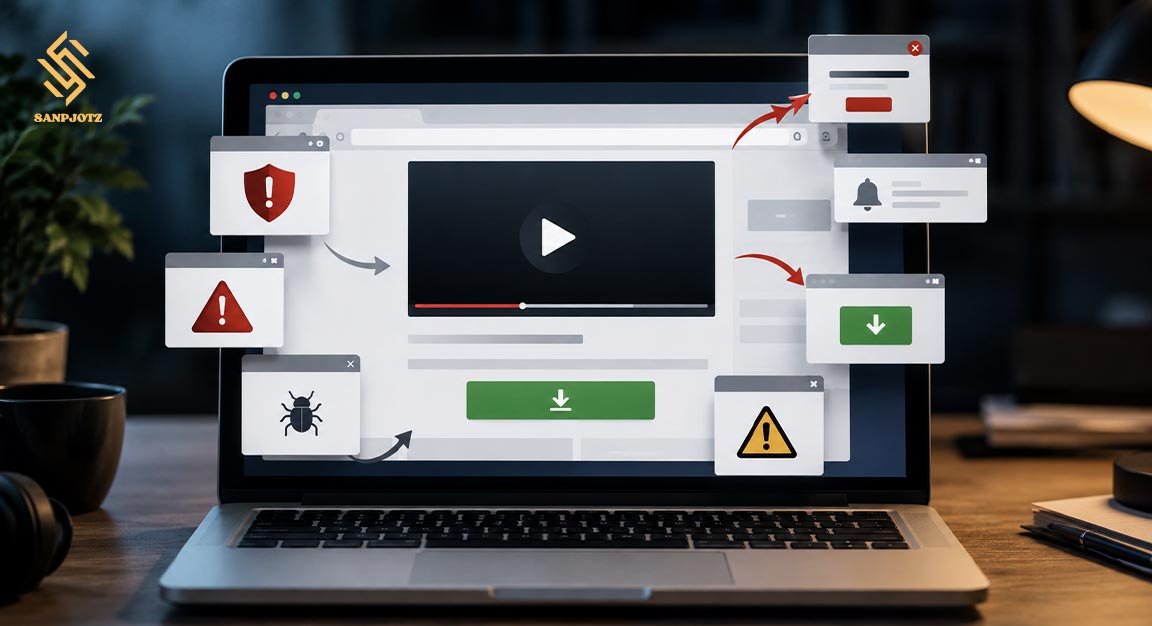
The honest answer is that Y2Mate is not fully safe. Not every visit causes an infection, and many people may receive a normal audio or video file. However, the website experience can include misleading ads, fake download buttons, pop-ups, unsafe redirects, and requests for browser notifications.
The main danger may come from the pages around the converter rather than the final media file. A wrong click can open a fake prize, gambling page, adult site, software offer, or false security warning. This is why safety depends on the full browsing experience, not only on whether one MP3 file works.
Is Y2Mate a Virus or Malware?
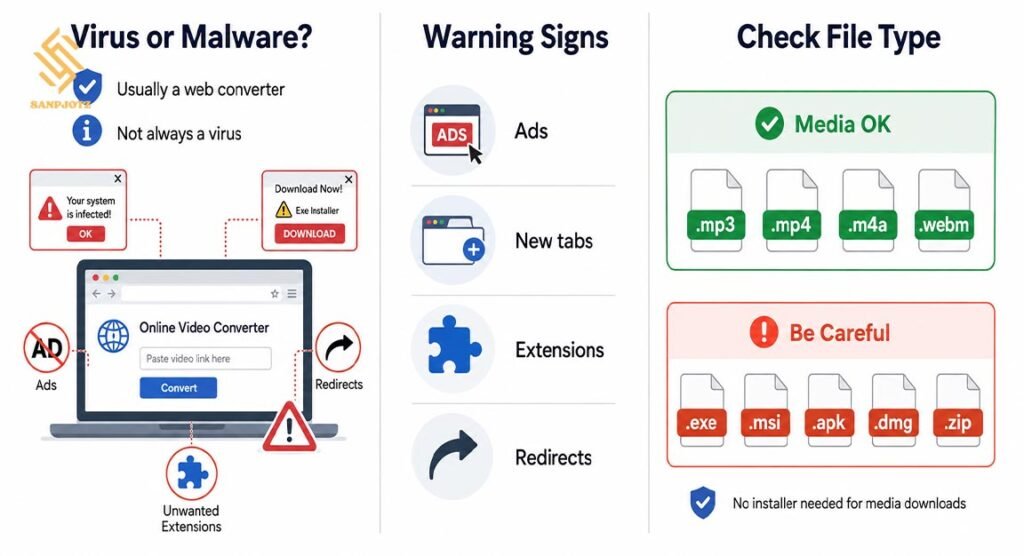
Y2Mate is usually a web-based converter, not one single virus. Still, users may call it the “Y2Mate virus” after seeing strange ads, new tabs, unknown browser extensions, or changes to their search settings. These problems may come from harmful advertising or unwanted software installed through a redirect.
Pay close attention to the file type. A music or video download should normally end in .mp3, .mp4, .m4a, or .webm. Be careful if the file ends in .exe, .msi, .apk, .dmg, or .zip. You should not need an installer, toolbar, codec, or special cleaner to save a media file.
What Security Risks Can Y2Mate Cause?
Fake download buttons are one of the biggest risks. A page may show several buttons marked “Download,” but only one may lead to the real file. The others may open advertisements or send you to another website.
Browser notification scams are another common problem. A page may ask you to click Allow to prove you are human or begin the download. After you accept, it may send fake virus alerts even when the page is closed. These messages may promote unknown tools or dangerous links.
Redirects can also lead to phishing pages. A fake page may ask for a Google password, bank card, phone number, or email address. A simple video converter should not need this information.
Is Y2Mate Safe on Phones and Computers?
On Android, the main danger is an unknown APK file. Installing an APK outside a trusted app store can give unsafe software access to the phone. On an iPhone, a normal computer virus is less likely, but users can still face phishing, fake subscriptions, calendar spam, or misleading app pages.
On Windows and Mac, watch for unwanted installers and browser extensions. A converter should not ask you to install a download manager, media player, antivirus tool, or browser toolbar. So, Is Y2Mate Safe on every device? No. Updated software helps, but no device can protect a user from every bad click or fake form.
Can Y2Mate Collect Personal Data or Passwords?
Opening a page does not normally give it every saved password. The danger grows when a user enters details into a fake login form, installs a harmful extension, or runs unknown software. Never sign in to Google, YouTube, Apple, Microsoft, or a bank through a page opened by an unexpected redirect.
The website and its advertising partners may collect basic technical data. This may include your IP address, browser type, device type, approximate location, pages visited, and links clicked. This does not always mean identity theft, but it can reduce privacy.
Is Y2Mate Legal for Downloading Videos and Music?
Safety and legality are different questions. A website may be free from malware but still help users download content in a way that breaks platform rules or copyright law. YouTube normally allows downloads when its own feature provides them, the owner gives permission, or the law allows the action.
Downloading your own upload or content with a clear reuse licence may be acceptable. Downloading copyrighted songs, films, courses, or shows without permission can create legal or account problems. When asking Is Y2Mate Safe, users should also check who owns the content and whether downloading it is allowed in their country.
What Should You Do After Visiting a Suspicious Y2Mate Page?
First, close strange tabs and ignore any page that claims your device has several viruses. Check the download folder and delete files you did not request. Do not open an unknown file just to test it. Then review browser notifications and remove permission from unfamiliar websites.
Remove unknown extensions and recently installed programs. Run a full scan with a trusted security tool, such as Microsoft Defender on Windows. Change important passwords if you entered them on a suspicious page. Turn on two-step verification for email, banking, and social accounts.
How Can You Use Video Downloaders More Safely?
The safest choice is to use official download tools. YouTube Premium and other licensed services may offer offline viewing inside their apps. Creators may also provide direct links to videos, music, podcasts, or documents they allow people to save.
If you still use an online converter, keep your browser and operating system updated. Block pop-ups, reject notification requests, check the file extension, and never install extra software for a simple download. These steps can lower risk, but they cannot make an unknown website completely trustworthy.
What Are the Safest Alternatives to Y2Mate?
Use official offline features whenever they are available. Streaming platforms, podcast apps, and music services often let users save content inside the official app. For your own videos, use creator tools or secure cloud storage.
The final answer to Is Y2Mate Safe is clear: it is not safe enough to recommend without strong warnings. The converter may work, but fake buttons, redirects, notification scams, and unwanted files create real risks. A legal, official, and trusted download option is usually the better choice.
FAQs
Does Y2Mate Always Contain Malware?
No. A media file may be clean, but ads and redirects can still expose you to harmful websites or downloads.
Can Y2Mate Damage My Phone?
It may cause problems if you install an unknown APK, accept spam notifications, or enter details on a fake page.
Should I Allow Browser Notifications?
No. A normal audio or video download does not require notification permission.
Is Downloading YouTube Videos Legal?
It depends on copyright, permission, platform rules, and local law. Official download features are the safer choice.
What Should I Do After a Suspicious Download?
Delete the file, scan the device, remove unknown permissions, and change passwords if you entered them.