Layer7 Stresser Explained: Features, Uses, and Security Risks
Modern websites handle thousands of requests every day. Whether it is an online store, a banking platform, or a business website, users expect every page to load quickly. To ensure a website can handle high traffic, developers use various performance testing methods. One of these methods involves a Layer7 Stresser, a tool designed to simulate heavy application traffic on systems that the tester owns or has permission to evaluate. Understanding how it works, where it is useful, and the risks linked to its misuse can help businesses build more reliable web applications.
What Is a Layer7 Stresser and How Does It Work?
A Layer7 Stresser is a performance testing tool that operates at the Application Layer, also known as Layer 7 in the OSI Model. Instead of focusing on raw network traffic, it sends application requests such as HTTP and HTTPS requests to a website or API. This allows developers to see how the application behaves when many users access it at the same time.
Every request goes through the web server, application code, database, and caching system before a response is returned. Because the test follows the same path as a normal visitor, it provides a realistic picture of how the application performs under heavy demand. The collected data helps identify slow components before they become a problem for real users.
Layer 7 vs Layer 4: What Makes Application-Layer Testing Different?
The difference between Layer 4 and Layer 7 testing is the type of traffic being measured. Layer 4 focuses on network protocols such as TCP and UDP, while Layer 7 focuses on web requests that reach the application itself. This means Layer 7 testing examines how the software responds instead of only measuring network capacity.
Since every request is processed by the application, this type of testing consumes more server resources. It also reveals issues that lower-level tests cannot detect, including slow database queries, inefficient code, or caching problems. For websites that rely on dynamic content, application-layer testing provides much deeper insights.
Key Features of a Layer7 Stresser for Website and API Testing
A modern Layer7 Stresser includes features that make performance testing more realistic. It can create thousands of virtual users, send requests at different speeds, and simulate normal browsing activity. Many tools also support testing REST APIs, HTTP/2, encrypted HTTPS connections, and WebSocket communication.
Another useful feature is live monitoring. During a test, developers can watch response times, request rates, server resource usage, and error counts in real time. These reports make it easier to identify where performance starts to decline and what improvements should be made.
Common Uses of Layer7 Stress Testing in Modern Web Applications
Application-layer testing is widely used before launching new digital services. Businesses often perform these tests before releasing an e-commerce platform, online booking system, customer portal, or cloud application. The goal is to confirm that the service remains stable during periods of high demand.
The same testing method is valuable after major software updates or infrastructure changes. It helps teams verify that new features, load balancers, caching systems, and cloud scaling policies continue to work as expected without reducing application performance.
What Are the Security Risks Associated with Layer7 Stressers?
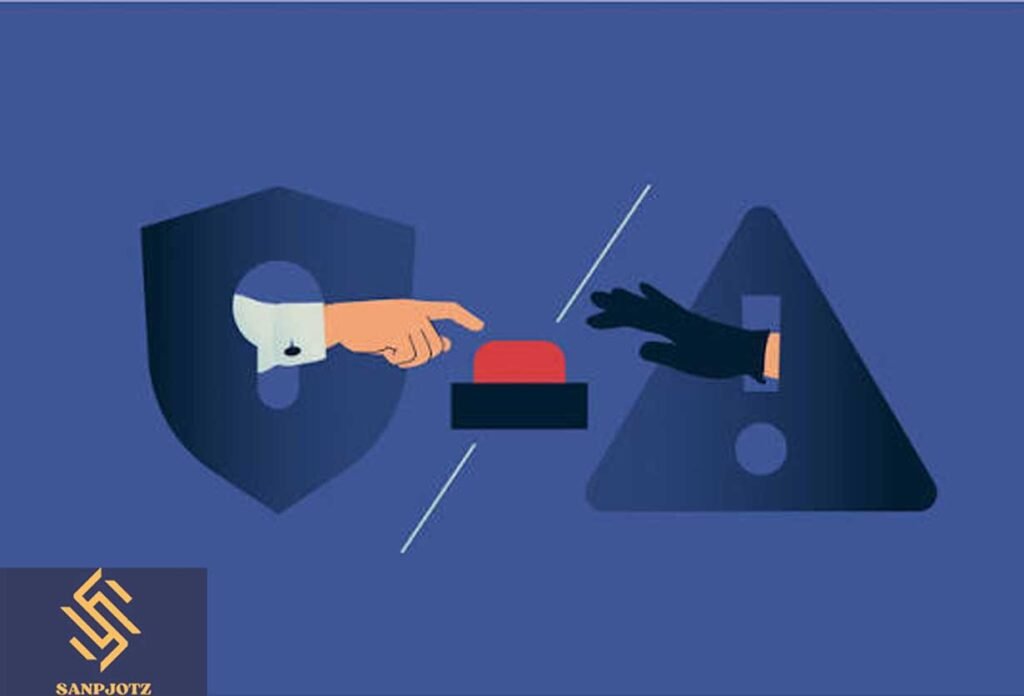
Although application-layer testing has many legitimate uses, the term Layer7 Stresser is sometimes associated with services that promote unauthorized traffic generation. Using any testing tool against systems without permission is illegal and may interrupt online services.
Because Layer 7 requests closely resemble normal user traffic, they can be difficult to distinguish from genuine visitors. This is why organizations use Web Application Firewalls (WAFs), rate limiting, traffic monitoring, and automated detection systems to protect websites from abusive behavior while still allowing legitimate users to access the service.
Layer7 Stress Testing vs DDoS Attacks: Understanding the Difference
Stress testing and Distributed Denial-of-Service (DDoS) attacks both generate traffic, but their purpose is completely different. Authorized stress testing is planned, monitored, and performed to improve system performance. It helps technical teams understand the limits of their infrastructure in a safe environment.
A DDoS attack is designed to disrupt or disable online services without permission. Instead of improving reliability, it attempts to overload servers and prevent legitimate users from accessing a website. The presence or absence of authorization is the key difference between these two activities.
Best Practices for Safe and Authorized Layer7 Stress Testing
Before running any performance test, organizations should confirm that they own the target system or have written approval from the owner. Testing should begin with a moderate traffic level before gradually increasing the load. This approach reduces the chance of unexpected service interruptions while still producing valuable performance data.
It is also important to monitor server health throughout the test. Tracking CPU usage, memory consumption, response times, database activity, and application logs helps teams understand exactly where performance begins to decline. After fixing identified issues, the same tests should be repeated to verify that the improvements are effective.
Common Performance Metrics Measured During Layer7 Testing
Application-layer testing provides a wide range of performance measurements. Common metrics include response time, requests per second (RPS), latency, throughput, server resource usage, and HTTP status codes. Together, these values show how efficiently the application responds under different traffic levels.
The collected information also highlights bottlenecks that may not appear during normal operation. Slow database queries, overloaded application servers, limited caching, and inefficient code often become visible only when the application handles many simultaneous requests. Solving these issues improves stability and creates a better experience for users.
Read More: snapjotz.com
In Short
A Layer7 Stresser is a valuable tool for understanding how websites and web applications perform under heavy demand when it is used responsibly and with proper authorization. It allows technical teams to identify weaknesses, improve scalability, and prepare their systems for real-world traffic without waiting for problems to appear after launch.
At the same time, organizations should remain aware of the security risks connected with unauthorized traffic generation. Following legal guidelines, monitoring application performance, and applying strong security controls ensures that stress testing remains a safe and effective part of maintaining reliable online services.
FAQs
Is a Layer7 Stresser legal?
Yes. It is legal only when used on systems you own or have explicit permission to test.
What is Layer 7 in networking?
Layer 7 is the Application Layer of the OSI Model, where websites, web applications, and APIs communicate with users.
Who uses Layer7 testing?
Developers, DevOps engineers, QA teams, cloud administrators, and cybersecurity professionals use it to evaluate application performance.
Which protocols are commonly tested?
Most tests involve HTTP, HTTPS, HTTP/2, REST APIs, and WebSocket connections.
Why is application-layer testing important?
It helps identify bottlenecks, improve scalability, increase reliability, and deliver a smoother user experience during periods of heavy traffic.