SeaArt AI Review: Images, Videos and Creative Tools
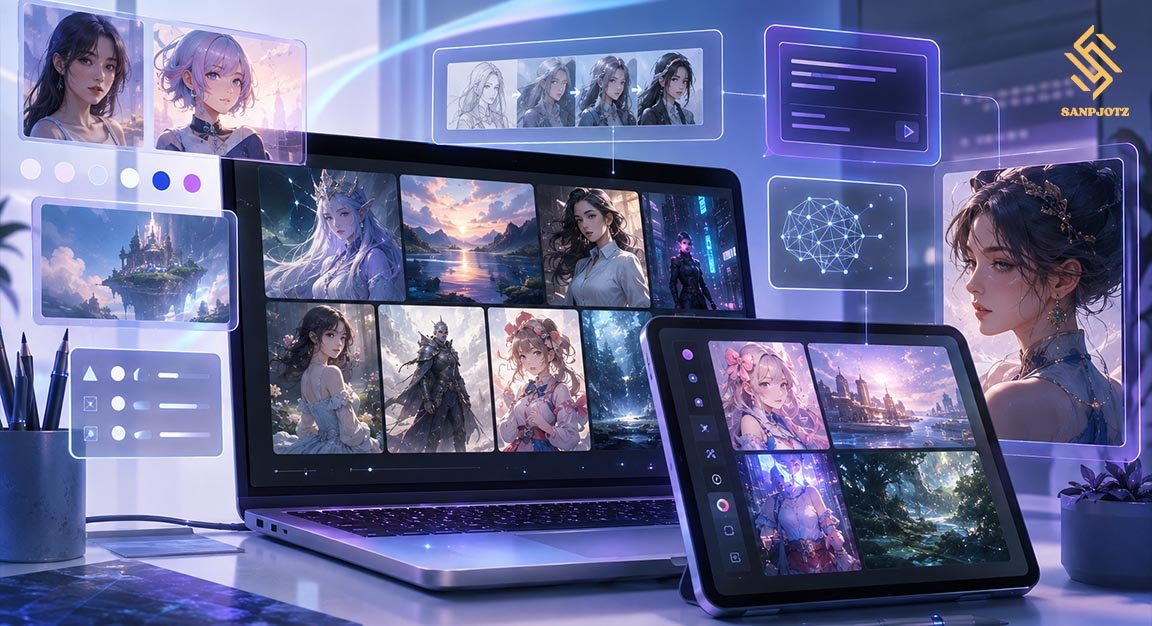
SeaArt AI is a web-based creative platform for making images, videos, and digital art with artificial intelligence. It combines simple prompt tools with advanced controls, so users do not need a powerful computer or difficult local setup. The service supports text prompts, uploaded images, model libraries, editing tools, LoRA training, ComfyUI workflows, and community features. It can suit beginners, social media creators, designers, and experienced AI artists.
What Is the Platform and How Does It Work?
Users can select a model, enter a prompt, choose settings, and start a generation job. The platform also supports image-to-image creation, where an existing picture becomes the starting point for a new result. This is useful when someone wants to keep the basic pose, subject, or composition while changing the style.
The official guide lists AI painting, AI Canvas, ComfyUI, face swap, AI filters, sketch-to-image, background removal, and animation tools. Users can also explore public creations and models from other members.
Image Generator and Supported Models
The image generator is one of the strongest parts of SeaArt AI. Users can create realistic portraits, anime art, fantasy scenes, illustrations, and product concepts. The result depends heavily on the selected model. A realistic checkpoint may create photo-like images, while another model may focus on anime, painting, or a special visual style.
Creators can also use LoRA models with a main checkpoint. A LoRA is a smaller trained model that changes selected features without replacing the full base model. It may help reproduce a character, clothing style, pose, visual effect, or artistic theme.
AI Video Generation and Animation Tools
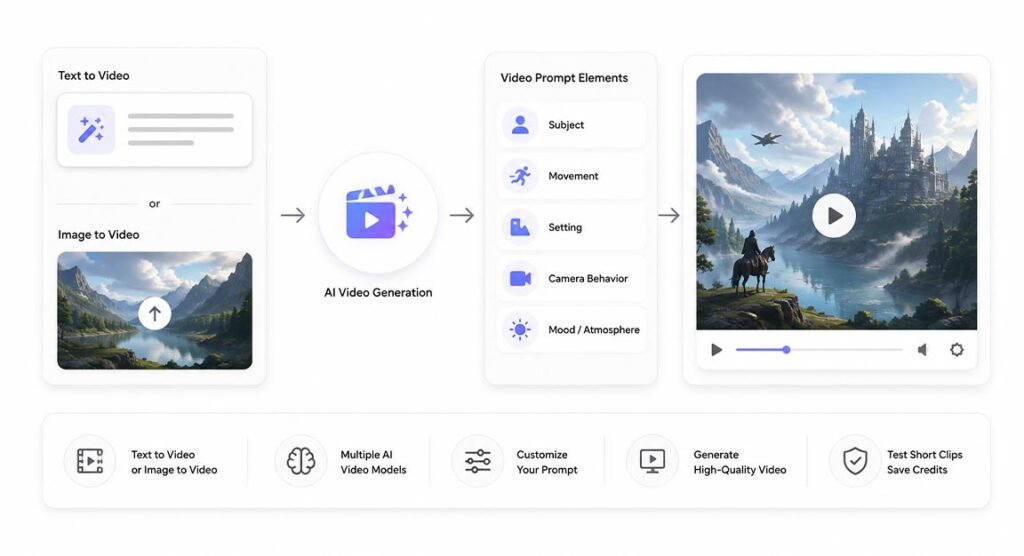
SeaArt AI also supports video creation, so users are not limited to still images. Depending on the model and workflow, creators can make video from text or animate an uploaded image. A useful video prompt normally describes the subject, movement, setting, camera behavior, and mood.
Video generation is more demanding than image generation. Motion can look unnatural, details may change between frames, and complex scenes can be difficult to control. Results also depend on the chosen video model. Testing short clips first can help users avoid spending too many Credits on a weak idea.
LoRA, ControlNet and Advanced Controls
Advanced users get several ways to control results more closely. ControlNet can guide a generation with information from a reference image. It can help preserve pose, lines, depth, or structure when a text prompt alone does not give the right body position or composition.
SeaArt AI also offers LoRA training. Official documentation says users can train and publish LoRAs, with cost based on training complexity and duration. This can be useful for repeated characters, brand styles, products, or a unique visual identity.
AI Agents and Creative Workflows
The platform is moving toward easier, conversation-based creation. Instead of changing every technical setting by hand, users can explain an idea in normal language and use AI-assisted workflows to develop it. This lowers the learning curve for people who do not understand samplers, nodes, model weights, or other advanced settings.
Experienced users can still work with detailed model settings, LoRAs, reference images, and workflow controls.
Image Editing, Upscaling and Face Tools
The service includes tools for improving or changing an existing image. Its official guide lists face swapping, AI filters, background removal, animation generation, and other editing features.
Upscaling helps when an image needs more resolution for publishing or design. Background removal can prepare subjects for posters, thumbnails, product images, or social posts. Face tools can support creative edits, but users should respect privacy, consent, copyright, and platform rules when working with real people.
ComfyUI, Model Training and Custom Creation
One advanced feature is online ComfyUI support. ComfyUI uses connected nodes to build a generation process. A workflow can include a checkpoint, prompts, sampler, latent image, ControlNet, LoRA, decoding, and output nodes. This gives experienced creators more freedom than a normal prompt box.
The learning curve is higher, but users can build reusable workflows and control how models and tools connect.
Pricing, Credits and Free Access
SeaArt AI uses Stamina and Credits for creation. The current official pricing page says free users receive 130 Stamina per day, estimated at about 21 standard image creations. Stamina resets daily and does not accumulate. Purchased Credits obtained from April 1, 2026 onward are listed with a two-year validity period.
Costs vary by model. SeaArt says many standard image models use around 6 Credits, but the actual cost may be different for premium image, video, or training jobs. Paid SVIP plans provide more daily Stamina, more simultaneous tasks, and other benefits. Users should check the live cost shown before starting expensive work.
Commercial Use, Copyright and Content Rules
The official FAQ says users keep the intellectual property rights to content they generate, and commercial use of their own creations is not prohibited. However, this does not remove every legal risk. A reference image, logo, character, model, or another creator’s work may have separate rights.
Permission is needed before commercially using another creator’s work. Users also remain responsible for risks linked to commercial use. Businesses should check model permissions, source material, trademarks, copyrighted characters, and local laws before selling or publishing important content.
Pros, Cons and Who Should Use It
The main advantage is variety. Users get image generation, video tools, editing, LoRA support, ControlNet, online ComfyUI, and a creative community in one place. Beginners can start with simple prompts, while advanced creators can build detailed workflows.
The main weakness is complexity. New users may feel overwhelmed by models, Credits, Stamina, LoRAs, nodes, and settings. Quality can also change from one model to another, and video jobs may cost more. Even so, the platform is useful for creators who want both simple generation and advanced experimentation.
FAQs
Is the platform free to use?
Yes. A free account currently receives daily Stamina for supported creation tasks. Paid plans add more Stamina and other benefits.
Can it generate videos from images?
Yes. The service supports image-based video and animation workflows. Quality, duration, controls, and cost depend on the selected model.
Can I train my own LoRA?
Yes. The platform provides LoRA training and publishing tools. Training uses Credits based on complexity and duration.
Can I use generated images commercially?
The official FAQ allows commercial use of your own generated content, but third-party copyrights, trademarks, permissions, and model rules still matter.
Is it suitable for beginners?
Yes. Simple prompt tools are easy to start with, while ControlNet, LoRA training, and ComfyUI give experienced users more advanced options.