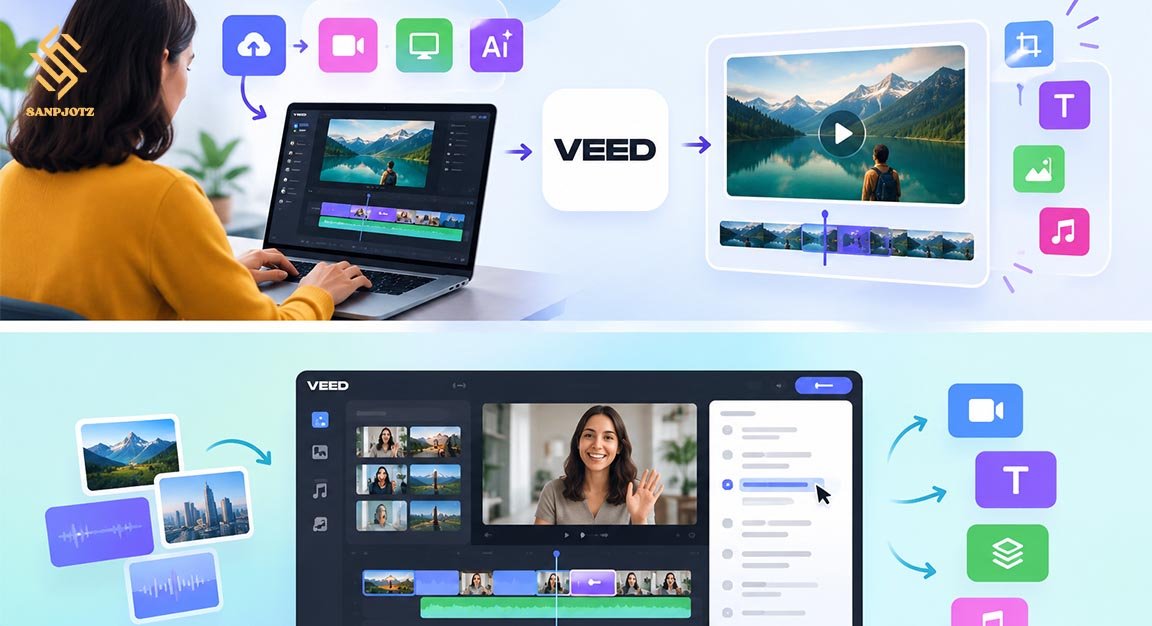
Veed IO: AI Video Editing Made Simple
Creating professional videos once required expensive software and strong editing skills. Veed IO makes this process much easier by putting video editing, subtitles, AI tools, audio cleanup, recording, and social media features in one online workspace. Users can edit directly in a browser without downloading large software. The platform is useful for beginners, marketers, YouTubers, teachers, businesses, and creators who want to produce videos faster with less manual work.
What Is Veed IO and How Does It Work?
Veed IO is a browser-based video editing and content creation platform. Users can upload video files, record their screen or webcam, or start creating content with AI. The editor supports common formats such as MP4, MOV, and AVI and provides a simple timeline where clips, music, images, subtitles, and text can be arranged. No large desktop program is needed for normal editing tasks.
The basic process is simple. Upload your footage, trim unwanted parts, add text or subtitles, improve the audio, and export the finished video. Users can also edit videos through a transcript. When words are removed from the transcript, the matching part of the video can also be removed, making talking videos easier to edit.
Veed IO AI Video Editing Features
Artificial intelligence is now one of the most important parts of Veed IO. Its AI tools can perform repetitive editing jobs that normally take a long time. Auto Edits can help add captions, clean audio, insert B-roll, and prepare a video for different platforms. This gives creators more time to focus on the message and visual style rather than small technical tasks.
The platform also includes an AI Video Generator. Users can describe a scene in text and create new video content with supported AI models. VEED currently promotes access to models such as Veo, Kling, PixVerse, and MiniMax through its AI creation tools. Generated footage can then be edited with normal video tools.
How to Create and Edit Videos With Veed IO
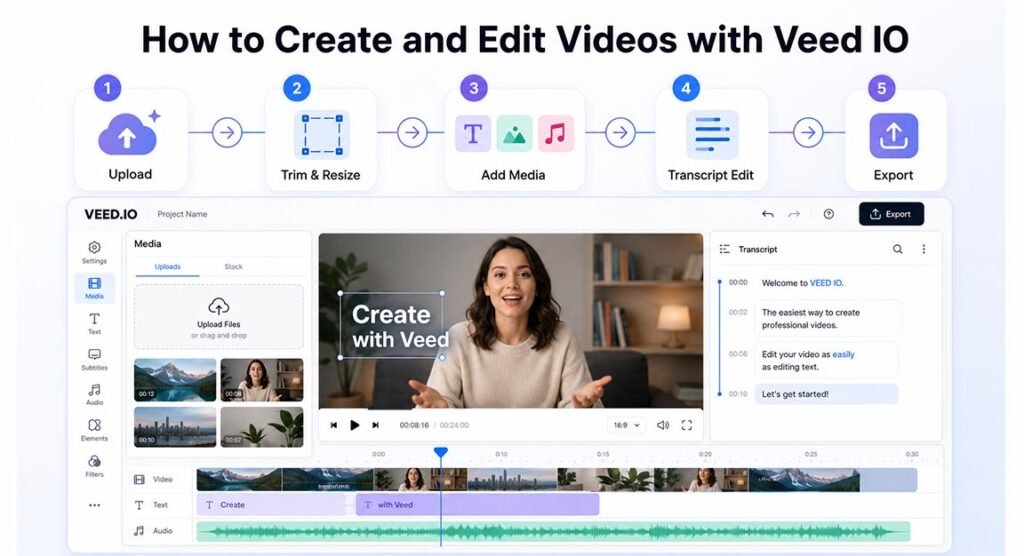
A new project normally begins by uploading footage or starting with an AI creation tool. Once the media is inside the editor, users can trim clips, crop the frame, resize the video, add images, place music, create text, and arrange different scenes on the timeline.
The editor uses a drag-and-drop style, which makes it easier for people with limited editing experience. Users can also add stock video and royalty-free audio without leaving the platform. For faster editing, text-based controls allow spoken videos to be changed by working with their transcript instead of finding every section manually on the timeline.
Automatic Subtitles and Translation Tools
Automatic subtitles are one of the platform’s most useful features. The system listens to spoken audio and creates captions. Users can then correct words, change the subtitle style, highlight important parts, and adjust how captions appear on the screen.
VEED also supports transcription and translation across more than 125 languages, according to its current video editor information. This can help businesses and creators reach people who speak different languages without producing every video again from the beginning. Text-to-speech tools can also create narration from written scripts.
These tools are useful for TikTok, Instagram Reels, YouTube Shorts, courses, interviews, and business videos. Captions also make content easier to understand when viewers are watching without sound.
AI Avatars, Voiceovers, and Text-to-Speech
AI tools can reduce the need to record every part of a video manually. Creators can use generated voices for narration and choose different voice styles and accents. Voice cloning is also available for creating extra narration with an approved voice profile.
AI avatars can act as digital presenters. A creator can prepare a script and use a virtual person to deliver the message. This can be useful for training material, explainers, educational videos, company communication, and marketing content where a human presenter is not available.
AI-generated voices and people should still be used carefully. Businesses should make sure they have permission when cloning a real person’s voice or appearance.
Magic Cut, AI Clips, and Audio Cleanup
Magic Cut is designed to remove unnecessary parts of talking videos. It can detect silences, filler words such as “um” and “ah,” repeated mistakes, and awkward pauses. The remaining clips are combined, and users can still review or change the automatic edits before exporting. The feature currently supports English speech.
AI Clips performs another useful job. It can turn a long video into shorter pieces for TikTok, Reels, and YouTube Shorts. The tool can find highlights, add subtitles, center the speaker, remove filler words, and prepare the format for social media. Free accounts currently receive a limited trial, while supported paid plans offer wider access.
Audio cleanup is also useful for recordings made outside a studio. AI tools can reduce unwanted background sound and make speech clearer.
Veed IO Pricing, Free Plan, and AI Credits
Veed IO has a free option, which is useful for learning the editor before paying. Free users currently receive basic tools such as trimming, cropping, resizing, adding text, and adding music. Free exports are limited to 720p and include a VEED watermark. Some AI editing tools are available only as limited trials.
Paid plans remove important restrictions. VEED states that premium plans can provide 1080p to 4K exports, watermark-free videos, and greater access to AI features. Current pricing starts from around $9 per month when billed yearly or $19 per month when billed monthly, although users should always check the official pricing page because prices and plan limits can change.
Generative AI features may also use AI credits, so frequent AI users should compare credit limits before choosing a subscription.
Veed IO for YouTube, TikTok, and Social Media
Social media creators can use Veed IO to prepare one recording for several platforms. A long horizontal video can be edited into shorter clips, subtitles can be added automatically, and content can be resized for vertical social feeds.
YouTubers can use it for talking videos, tutorials, interviews, explainers, and Shorts. Podcasters can take highlights from longer conversations, while businesses can create product videos, advertisements, training material, and social posts. AI Clips is especially useful when one long recording needs to become several smaller pieces of content.
Pros, Cons, and Main Limitations
One major advantage is simplicity. Users get video editing, captions, AI generation, audio tools, stock content, recording, and social features inside one service. The browser-based system also means creators can avoid installing large professional editing applications.
However, there are limitations. Free videos contain a watermark and have lower export quality. Some AI features require paid access or credits. Online editing also depends on a reliable internet connection, especially when uploading large files.
Automatic tools are not always perfect. AI subtitles may misunderstand words, generated footage may not match the original idea, and automatic cuts can remove something the creator wanted to keep. Human review remains important.
Professional filmmakers may also need more advanced control over visual effects, complex timelines, audio mixing, and detailed color work than an online editor provides.
Is Veed IO Worth Using for Beginners and Businesses?
For people who want fast and simple online video production, Veed IO can be a practical choice. Beginners can learn its basic controls without dealing with a difficult professional interface, while marketers and businesses can use automation to produce more content with smaller teams.
Its strongest value comes from combining many jobs in one place. Users can record footage, edit it, remove pauses, clean audio, generate subtitles, add B-roll, create short clips, translate content, and prepare exports without constantly moving between different programs.
The free version is suitable for testing basic features. Regular creators will probably find paid access more useful because of better export quality, watermark removal, and broader AI access.
AI does not completely replace a human editor, but it can remove many slow and repetitive tasks. For YouTube videos, social media posts, educational content, marketing material, and everyday business communication, the platform offers a clear way to make video creation faster and easier.
FAQs
Is VEED free to use?
Yes. A free plan is available with basic editing tools. However, free exports currently have a watermark and are limited to 720p.
Can VEED automatically edit a video?
Yes. AI tools can remove pauses and filler words, clean audio, add subtitles, insert B-roll, and help optimize footage for different platforms.
Can I create AI videos from text?
Yes. VEED provides AI video-generation tools that can create new footage from written prompts using supported generative video models.
Is VEED good for YouTube Shorts and TikTok?
Yes. AI Clips can find highlights in longer videos and prepare short content with captions, speaker framing, and social-friendly formatting.
Can beginners use VEED?
Yes. Its browser-based editor and drag-and-drop controls are designed to make common video editing tasks easier for people without professional editing experience.