
Free Ai Tools for Writing, Design and More
Artificial intelligence has become useful for writers, students, designers, developers, marketers, and small businesses. Today, Free AI Tools can help people write articles, create images, check grammar, generate ideas, edit videos, and even support coding. Many platforms offer free plans, so beginners can test useful AI features without paying. However, free plans often include daily limits, credits, or fewer advanced features.
What Are AI Tools and How Do They Work?
AI tools are software programs that use artificial intelligence to understand requests and produce results. A user can type a question, upload a file, provide an image, or describe a task. The AI then processes the information and creates a response.
For example, a blogger can ask AI to create an outline, while a designer can ask it to generate an image. A student can use ChatGPT to explain a difficult topic, and a developer can use GitHub Copilot to get coding suggestions. These tools make many digital tasks faster and easier.
Best Free Ai Tools for Writing and Content Creation
Writers can use Free Ai Tools for brainstorming, outlines, blog drafts, social media captions, emails, product descriptions, and editing. ChatGPT is one of the most flexible choices because it can create and improve different types of text. Users can also control tone, length, style, and structure by giving clear instructions.
Claude is also useful for long-form writing and document work. Grammarly helps with grammar, spelling, and clarity, while QuillBot focuses on rewriting and paraphrasing. These tools can save time, but writers should still check facts and add their own voice before publishing content.
Free Ai Tools for Graphic Design and Image Generation
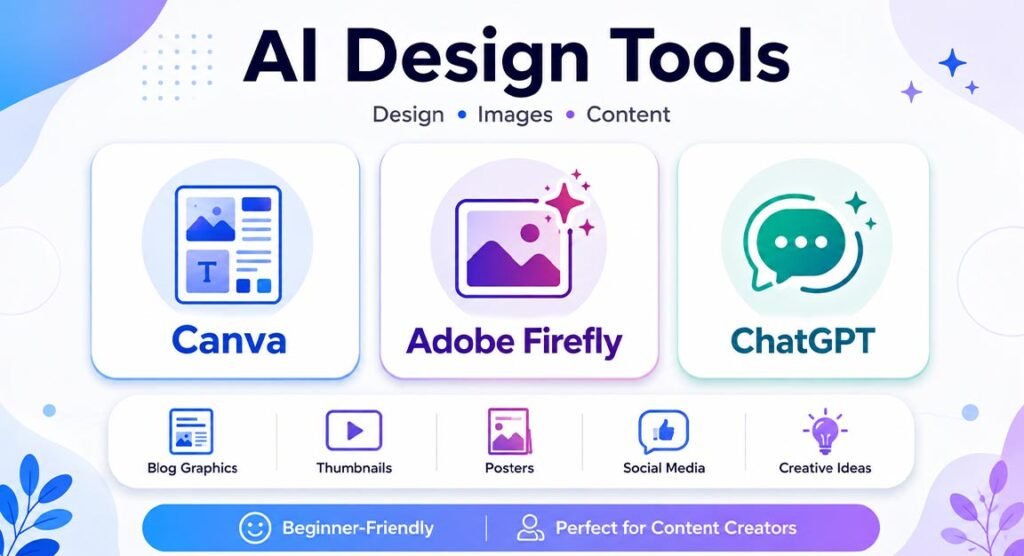
Designers and content creators can now create visual ideas without advanced design skills. Canva combines normal design tools with AI features for graphics, presentations, social media posts, and image creation. It is especially useful for beginners because many templates are simple to edit.
Adobe Firefly is another popular option for generating images and creative content from text prompts. ChatGPT can also create images from written instructions. These tools are helpful for blog graphics, thumbnails, posters, social media images, and creative concepts, although free users may face limits on generations or credits.
Best Free Ai Tools for and Studying
Especially when users need to compare many sources. Perplexity is useful because it can answer questions and show source links. This makes it easier to check where information comes from.
Students can also use Free Ai Tools to understand difficult subjects, summarize notes, create practice questions, and build study plans. ChatGPT and Gemini can explain complex topics in simpler language. However, students should not copy answers without checking them. AI can make mistakes, so important information should always be verified.
Free Ai Tools for Coding and Developer Support
AI can also help developers write, understand, and debug code. GitHub Copilot Free gives coding suggestions inside supported development tools. It can help users complete code, explain functions, and reduce repetitive programming work.
ChatGPT and Gemini can also explain programming errors, create simple examples, and help beginners understand coding concepts. AI-generated code should always be tested before it is used in a live project. It may contain security problems, incorrect logic, or hidden errors that need human review.
Free Ai Tools for Video, Audio, and Content Creators
Video and audio creators can use artificial intelligence for scripts, voiceovers, subtitles, editing ideas, and visual planning. Canva includes AI-powered creative features that support short-form content and presentation work.
Some AI video platforms also provide limited free credits for trying video generation. Creators can combine different services to build a simple workflow. For example, they can write a script with ChatGPT, create graphics with Canva, generate images with Firefly, and then edit everything in a video editor.
How to Choose the Right Free Ai Tool
The best tool depends on the job you want to complete. Writers may prefer ChatGPT or Claude, while designers may choose Canva or Adobe Firefly. May prefer Perplexity because of its source-based answers.
Instead of testing every platform, decide what problem you want to solve first. Then compare the available Free Ai Tools based on ease of use, limits, output quality, privacy, and supported features. A simple tool that solves your main problem can be more useful than a complex platform with many features you never use.
What Limits Do Free Ai Plans Usually Have?
Free Ai plans are useful, but they are not always unlimited. Many platforms use a freemium model, where basic features are free while advanced options require payment. Users may receive daily message limits, monthly credits, fewer models, lower generation limits, or slower processing.
For example, some free design tools limit AI generations, while coding assistants may limit monthly code completions. Image and video generators often use credits because these tasks require more computing power. Users should check the latest pricing page before depending on a tool for regular professional work.
How to Use Free Ai Tools Safely and Effectively
Good prompts usually create better results. Instead of writing “create an article,” explain the topic, audience, tone, format, and length. Clear instructions help the AI understand what you really need.
Users should also protect private information. Avoid uploading passwords, confidential contracts, customer records, financial files, or sensitive business data without checking the platform’s privacy rules. Free Ai Tools are powerful assistants, but people should still review every important result for accuracy, quality, safety, and originality.
Best Free Ai Tools to Try in 2026
There is no single AI platform that is best for every task. ChatGPT works well for general support, writing, and ideas. Claude is strong for writing and documents. Perplexity is useful, while Canva and Adobe Firefly support creative design.
For developers, GitHub Copilot can help with coding. Grammarly and QuillBot are useful for editing and rewriting. The best approach is often to combine several Free Ai Tools and use each one for the task it handles best. Start with free plans, test them on real work, and only pay when the free limits begin to affect your productivity.
FAQs
Are free ai tools really free?
Yes, many AI platforms have free plans. However, these plans may include daily limits, monthly credits, fewer features, or restricted access to advanced models.
Which AI tool is best for writing?
ChatGPT and Claude are useful for drafting and editing. Grammarly is better for grammar checks, while QuillBot can help with rewriting.
Which free Ai tool is best for design?
Canva is a good choice for beginners because it combines templates, normal design tools, and AI features in one platform.
Can AI tools help with coding?
Yes. GitHub Copilot, ChatGPT, and Gemini can suggest code, explain errors, and help users understand programming concepts.
Are AI-generated answers always correct?
No. AI can sometimes provide incorrect or outdated information. Always check important facts, statistics, dates, and professional advice before using them.





One Comment